如何在 iOS 中输入文本框时统计字符数?
iosapps/applicationsmobile development
作为一名 iOS 开发者,您应该了解如何操作文本字段及其相关操作,Apple 已经提供了 UITextFieldDelegate 协议。
了解更多信息,请访问 https://developer.apple.com/documentation/uikit/uitextfielddelegate
您可能见过一些涉及表单的应用程序,在表单中输入字符数有限制时,您会查看输入的字符数。
在本文中,我们将了解如何在 TextField 中输入时显示字符数。
步骤 1 −打开 Xcode → 新建项目 → 单视图应用程序 → 将其命名为"TextFieldCount"
步骤 2 − 打开 Main.storyboard 并按所示添加 TextField 和标签,为标签和文本字段创建 @IBOutlet,并分别将其命名为 lblCount 和 txtInputBox。
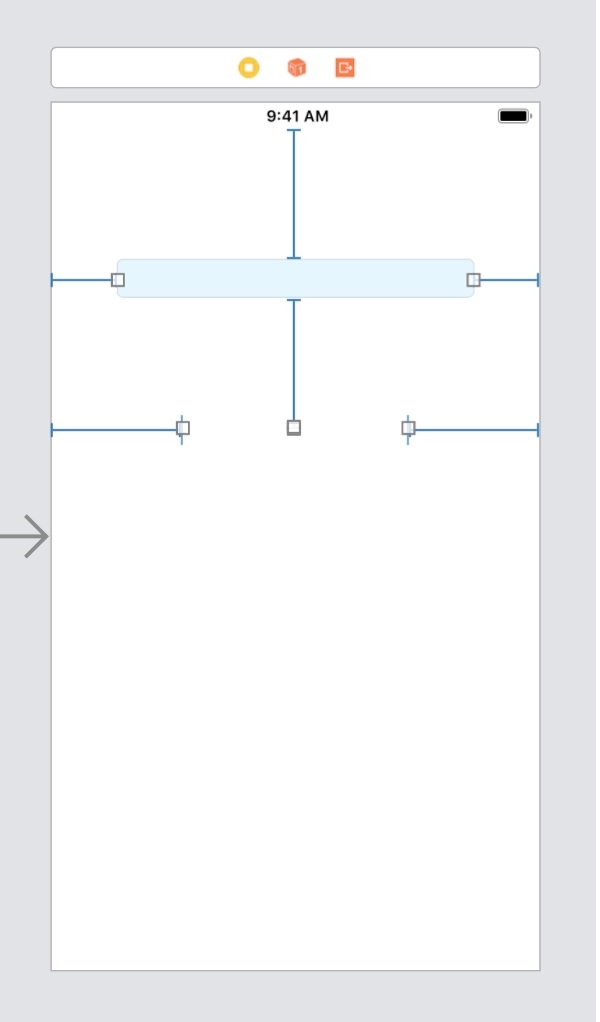
步骤 3 −在 ViewController.swift 中,确认已将 UITextFieldDelegate 协议与包含 textInputBox 的委托关联到 self。
class ViewController: UIViewController, UITextFieldDelegate {
txtInputBox.delegate = self
步骤 4 − 实现委托 shouldChangeCharactersIn 并在其中编写以下代码。
func textField(_ textField: UITextField, shouldChangeCharactersIn range: NSRange, replacementString string: String) -> Bool {
   if(textField == txtInputBox){
      let strLength = textField.text?.count ?? 0
      let lngthToAdd = string.count
      let lengthCount = strLength + lngthToAdd
      self.lblCount.text = "\(lengthCount)"
   }
   return true
}
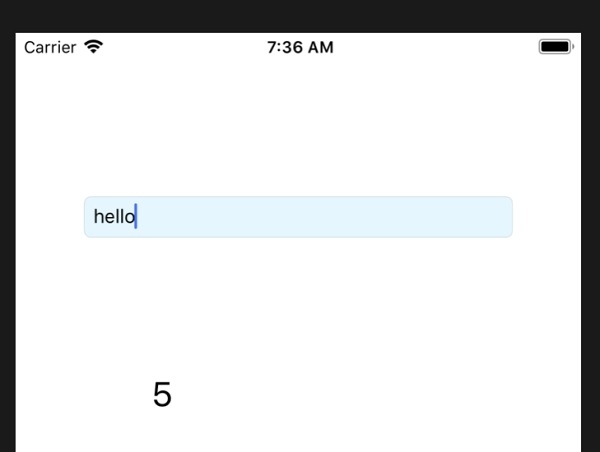
步骤 5 − 运行应用程序,获取最终代码
示例
import UIKit
class ViewController: UIViewController, UITextFieldDelegate {
   @IBOutlet var txtInputBox: UITextField!
   @IBOutlet var lblCount: UILabel!
   override func viewDidLoad() {
      super.viewDidLoad()
      txtInputBox.delegate = self
   }
   func textField(_ textField: UITextField, shouldChangeCharactersIn range: NSRange, replacementString string: String) -> Bool {
      if(textField == txtInputBox){
         let strLength = textField.text?.count ?? 0
         let lngthToAdd = string.count
         let lengthCount = strLength + lngthToAdd
         self.lblCount.text = "\(lengthCount)"
      }
      return true
   }
}
输出