如何使用 Swift 在 iOS 中获取两个地理位置之间的距离?
iosapps/applicationsmobile development更新于 2026/2/12 1:37:17
在本文中,我们将学习如何计算两个地理位置之间的距离。
我们将在标签上显示两点之间的距离。
请按照以下步骤操作
步骤 1 − 打开 Xcode → 新建项目 → 单视图应用程序 → 我们将其命名为"FindDistance"
步骤 2 − 打开 Main.storyboard 并添加两个标签,如下所示。
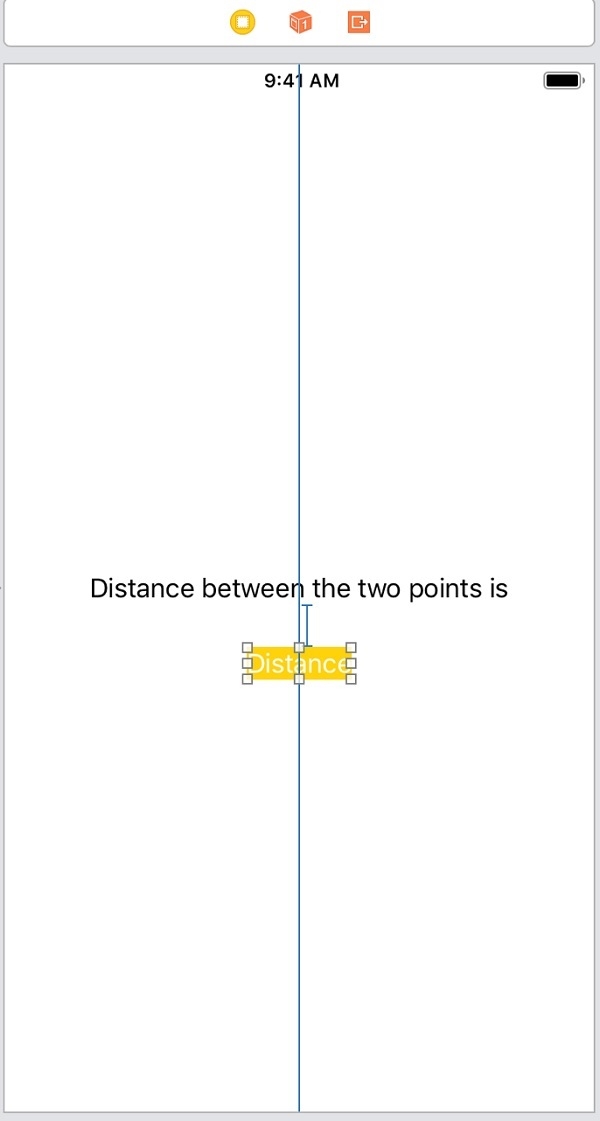
步骤 3 − 为底部标签添加一个 @IBOutlet。将其命名为 distanceLabel
步骤 4 − 在 ViewController 中导入 CoreLocation 框架
步骤 5 − 将我们想要计算距离的两个点添加为变量
var firsLocation = CLLocation(latitude:34.54545, longitude:56.64646)
var secondLocation = CLLocation(latitude: 59.326354, longitude: 18.072310)
步骤 6 −在视图控制器的 viewDidLoad 方法中添加以下代码。
let distance = firsLocation.distance(from: secondLocation) / 1000
distanceLabel.text = " \(String(format:"%.02f", distance)) KMs "
这里我们使用 CoreLocation 框架的 ‘distance’ 函数。该函数返回与该点的距离(以米为单位)。我们将该距离除以 1000 得到以千米为单位的距离。
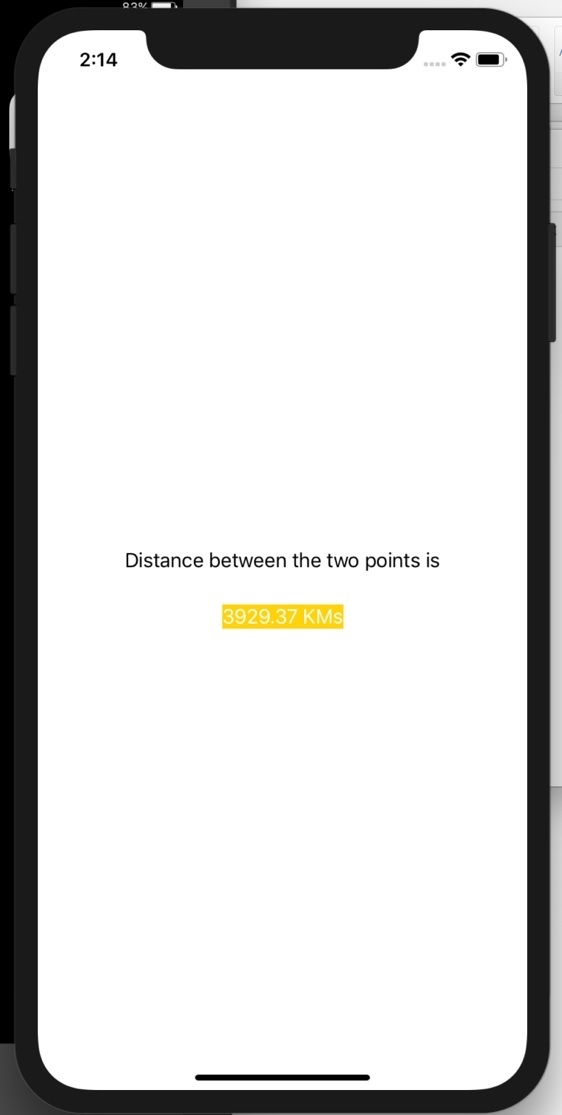
步骤 7 − 运行项目,您将在底部标签上看到距离。如下图所示