
如何处理 ReactNative 中的错误"文本字符串必须在 <Text> 组件内呈现"?
react nativejavascriptmobile development更新于 2025/7/26 0:44:17
在开发应用程序时,您可能会遇到上述错误。以下是给出错误的代码 −
示例
import React from "react";
import { Image , Text, View, StyleSheet } from "react-native";
export default class App extends React.Component {
   render() {
      return (
         <View style={styles.container}>
            <Image
               style={styles.stretch}
               source={{
                  uri:
               'https://pbs.twimg.com/profile_images/486929358120964097/gNLINY67_400x400.png ',
               }}
            />
         </View>
      );
   }
}
const styles = StyleSheet.create({
   container: {
      paddingTop: 50,
      paddingLeft: 50,
   },
   stretch: {
      width: 200,
      height: 200,
      resizeMode: 'stretch',
   },
});
屏幕上显示的错误如下 −
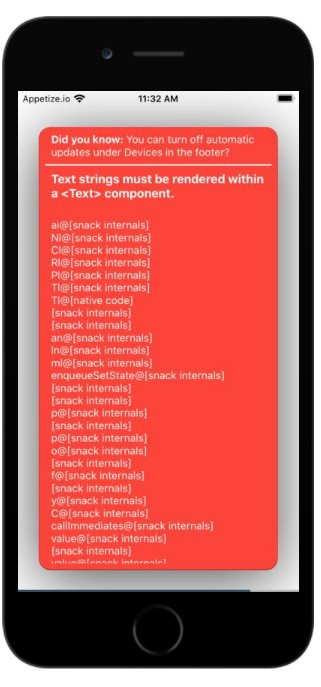
错误是由于以下原因引起的。请确保在应用程序中编码时避免这些错误。
错误的第一个原因是缩进不当。每个组件都必须正确缩进。子元素在父组件内正确缩进。
第二种情况是由于每个组件末尾留有空格。从屏幕末尾删除空格并重新编译。它会正常工作。从其他来源复制粘贴代码时请小心。在这些情况下,您大多会遇到此错误。
现在让我们更正代码并再次检查输出。
示例
import React from "react";
import { Image , Text, View, StyleSheet } from "react-native";
export default class App extends React.Component {
   render() {
      return (
         <View style={styles.container}>
            <Image style={styles.stretch} source={{uri:
               'https://pbs.twimg.com/profile_images/486929358120964097/gNLINY67_400x400.png
         '}} />
         </View>
      );
   }
}
const styles = StyleSheet.create({
   container: {
      paddingTop: 50,
      paddingLeft: 50,
   },
   stretch: {
      width: 200,
      height: 200,
      resizeMode: 'stretch',
   }
});
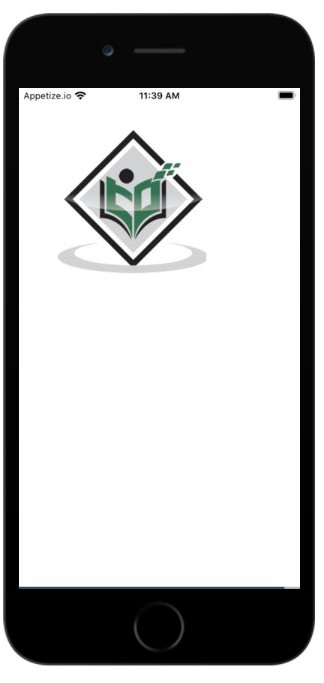
输出
相关文章
有用资源
javascript 参考教程 - 该教程包含有关 javascript 的更多信息:https://www.cainiaomax.com/javascript/

