如何在 Android 中实现平滑的图片旋转?
androidmobile developmentapps/applications
本示例演示如何在 Android 中实现平滑的图片旋转。
步骤 1 - 在 Android Studio 中创建一个新项目,依次点击"文件">"新建项目",并填写所有必需信息以创建一个新项目。
步骤 2 - 将以下代码添加到 res/layout/activity_main.xml 文件中。
<?xml version = "1.0" encoding = "utf-8"?>
<LinearLayout xmlns:android = "http://schemas.android.com/apk/res/android"
   android:id = "@+id/parent"
   xmlns:tools = "http://schemas.android.com/tools"
   android:layout_width = "match_parent"
   android:layout_height = "match_parent"
   tools:context = ".MainActivity"
   android:gravity = "center"
   android:orientation = "vertical">
   <TextView
      android:id = "@+id/text"
      android:textSize = "18sp"
      android:textAlignment = "center"
      android:text = "rorate image"
      android:layout_width = "match_parent"
      android:layout_height = "wrap_content" />
   <ImageView
      android:id = "@+id/rotateImage"
      android:layout_width = "match_parent"
      android:layout_marginTop = "10dp"
      android:layout_height = "wrap_content"
      android:src = "@mipmap/ic_launcher"
      android:layerType = "software" />
</LinearLayout>
在上面的代码中,我们使用了一个文本视图和一个图像视图。点击文本视图时,图像会逆时针旋转。
步骤 3 - 将以下代码添加到 src/MainActivity.java 文件中
package com.example.andy.myapplication;
import android.os.Build;
import android.os.Bundle;
import android.support.annotation.RequiresApi;
import android.support.v7.app.AppCompatActivity;
import android.view.View;
import android.view.animation.Animation;
import android.view.animation.LinearInterpolator;
import android.view.animation.RotateAnimation;
import android.widget.ImageView;
import android.widget.TextView;
public class MainActivity extends AppCompatActivity {
   int view = R.layout.activity_main;
   TextView text;
   ImageView image;
   @RequiresApi(api = Build.VERSION_CODES.JELLY_BEAN)
   @Override
   protected void onCreate(Bundle savedInstanceState) {
      super.onCreate(savedInstanceState);
      setContentView(view);
      text = findViewById(R.id.text);
      image = findViewById(R.id.rotateImage);
      text.setOnClickListener(new View.OnClickListener() {
         @Override
         public void onClick(View v) {
            RotateAnimation rotate = new RotateAnimation(0, 180, Animation.RELATIVE_TO_SELF, 0.5f,          Animation.RELATIVE_TO_SELF, 0.5f);
            rotate.setDuration(5000);
            rotate.setInterpolator(new LinearInterpolator());
            image.startAnimation(rotate);
         }
      });
}
}
上面的代码中使用了 Rotate Animation 类。它是 Android 中预定义的类。要使用以下代码旋转图像 -
RotateAnimation rotate = new RotateAnimation(0, 180, Animation.RELATIVE_TO_SELF, 0.5f, Animation.RELATIVE_TO_SELF, 0.5f);
rotate.setDuration(5000);
rotate.setInterpolator(new LinearInterpolator());
image.startAnimation(rotate);
让我们尝试运行您的应用程序。我假设您已将 Android 移动设备连接到计算机。要从 Android Studio 运行应用程序,请打开项目中的一个 Activity 文件,然后单击工具栏中的"运行"图标。选择您的移动设备作为选项,然后选中您的移动设备,它将显示您的默认屏幕。 -
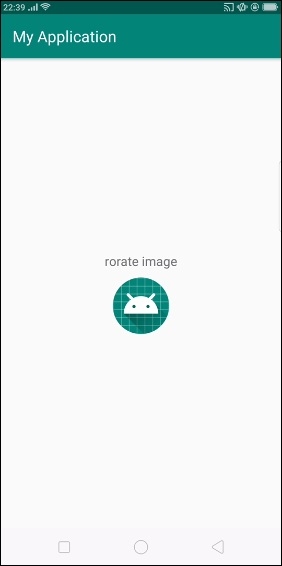
上面的代码会在用户点击文本视图时显示初始屏幕,然后图像会像下图所示旋转。