
如何使用 CSS Flex 将元素定位到其容器底部
cssweb developmentfront end technology更新于 2024/5/16 7:08:17
语法
CSS flex 属性的语法如下:−
Selector {
   flex: /*value*/
}
示例
以下示例演示了 CSS flex 属性。
<!DOCTYPE html>
<html>
   <head>
      <style>
         div {
            display: flex;
            flex-direction: column;
            box-shadow: inset 0 0 6px aqua;
            margin: 2%;
            width: 30%;
            height: 15%;
         }
         #d2, #d3 {
            margin-left: 15%;
            margin-top: 5%;
            box-shadow: inset 0 0 6px green!important;
         }
         #d4 {
            box-shadow: inset 0 0 6px red!important;
            margin-top: auto;
         }
      </style>
   </head>
   <body>
      <div id="container">
         <div id="d1">Random text here..</div>
         <div id="d2">Hello!!</div>
         <div id="d3">Watch this</div>
         <div id="d4">Example</div>
      </div>
   </body>
</html>
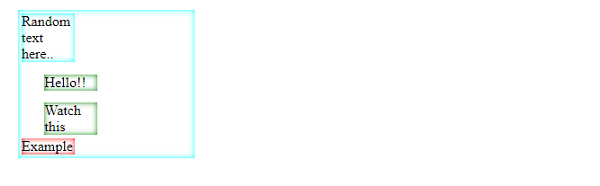
这将给出以下输出
示例
<!DOCTYPE html>
<html>
   <head>
      <style>
         div {
            display: flex;
            flex-direction: column;
            box-shadow: inset 0 0 6px red;
            margin: 2%;
            width: 30%;
         }
         #d2, #d3 {
            margin-left: 15%;
            border-radius: 50%;
            padding: 5%;
            box-shadow: inset 0 0 6px green!important;
         }
         #d4 {
            margin-left: 50%;
            margin-top: auto;
         }
      </style>
   </head>
   <body>
      <div id="container">
         <div id="d1"><img src="https://images.pexels.com/photos/5512653/pexels-photo-5512653.jpeg?auto=compress&cs=tinysrgb&dpr=2&h=650&w=940" /></div>
         <div id="d2"></div>
         <div id="d3"></div>
         <div id="d4"><img src="https://images.pexels.com/photos/6032874/pexels-photo-6032874.jpeg?auto=compress&cs=tinysrgb&dpr=2&h=650&w=940" /></div>
      </div>
   </body>
</html>
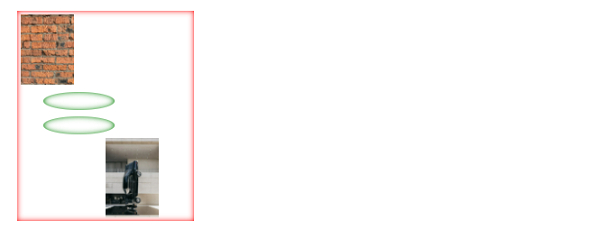
这将给出以下输出
相关文章
有用资源
css 参考教程 - 该教程包含有关 css 的更多信息:https://www.cainiaomax.com/css/

