
如何在 HTML 中使用文本区域(多行文本输入字段)?
htmlweb developmentfront end technology更新于 2025/12/27 11:24:17
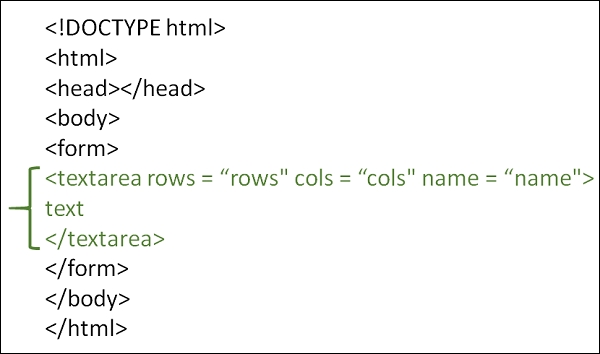
要添加多行文本输入,请使用 HTML <textarea> 标签。您可以使用 cols 和 rows 属性设置文本区域的大小。它在表单中使用,允许用户在多行中输入文本。
以下是 <textarea> 标签的属性 −
| 属性 | 值 | 描述 |
|---|---|---|
autofocus | autofocus | 指定在页面加载时文本区域应自动获得焦点。 |
| Cols | number | 根据可见字符宽度的数量指定文本区域的宽度 |
| Disabled | disabled | 根据可见字符宽度的数量指定文本区域的宽度。 |
| form | form_id | 指定一个或多个表单。 |
| maxlength | number | 指定文本区域中的最大字符数。 |
| Name | text | 为输入控件分配一个名称。 |
| placeholder | text | 指定文本区域中值的简短提示。 |
| Readonly | readonly | 将输入控件设置为只读。它不允许用户更改值。但是,该控件可以接收焦点,并且在使用 Tab 键浏览表单控件时会被包含。 |
| required | required | 指定需要文本区域。 |
| Rows | number | 根据可见文本行数指定文本区域的高度。如果文本行数超过此限制,用户可以使用文本区域的滚动条进行滚动。 |
| wrap | hard soft | 指定要在文本区域中换行的文本。 |
示例
您可以尝试运行以下代码以在 HTML 中使用文本区域 −
<!DOCTYPE html>
<html>
   <head>
      <title>HTML textarea Tag</title>
   </head>

   <body>
      <form action = "/cgi-bin/hello_get.cgi" method = "get">
         What improvements you want in college?
         <br>

         <textarea rows = "4" cols = "40" name = "description">
            Enter details here...
         </textarea>
         <br>

         <input type = "submit" value = "submit" />
      </form>

   </body>
</html>
相关文章
有用资源
html 参考教程 - 该教程包含有关 html 的更多信息:https://www.cainiaomax.com/html/

