
如何在 HTML 页面中使用动画图像?
htmlweb developmentfront end technology更新于 2025/2/28 10:52:17
HTML 中的动画图像是指网页上可以移动的图像。它采用 GIF 格式,即图形交换格式 (GIF) 文件。
我们需要使用带有 src 属性的 <image> 标签在 HTML 中添加动画图像。 src 属性添加图片的 URL(文件目标)。
此外,我们可以使用 height 和 width 属性设置图片的 height 和 width。
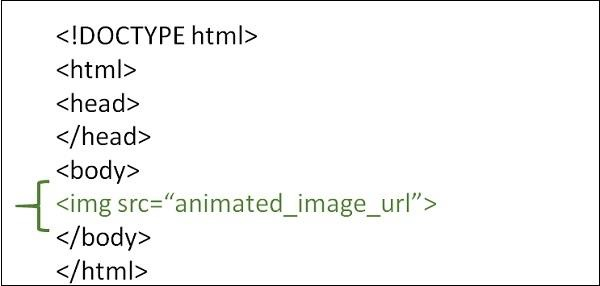
语法
<image src="动画图像">
示例 1
以下示例演示如何在 HTML 页面中使用动画图像 -
<!DOCTYPE html>
<html>
<head>
   <meta charset="UTF-8">
   <meta name="description" content="meta tag in the web document">
   <meta name="keywords" content="HTML,CSS">
   <meta name="author" content="lokesh">
   <meta name="viewport" content="width=device-width, initial-scale=1.0">
</head>
<body>
   <p>Adding Animated Images to the web page</p>
   <img src="https://tutorialspoint.com/images/html.gif">
</body>
</html>
示例 2
您可以尝试运行以下命令来处理 HTML 中的动画图像 -
<!DOCTYPE html>
<html>
<head>
   <title>Animated Image</title>
</head>
<body>
   <h1>Animated Image</h1>
   <img src="https://media.giphy.com/media/3o6UBpHgaXFDNAuttm/giphy.gif">
</body>
</html>
示例 3
我们可以使用样式表更改动画图像的高度和宽度。
<!DOCTYPE html>
<html>
<head>
   <meta charset="UTF-8">
   <meta name="description" content="meta tag in the web document">
   <meta name="keywords" content="HTML,CSS">
   <meta name="author" content="lokesh">
   <meta name="viewport" content="width=device-width, initial-scale=1.0">
</head>
<body>
   <p> dding Animated Images to the web page</p>
   <img src="https://tutorialspoint.com/images/html.gif" height="200" width="200">
</body>
</html>
相关文章
有用资源
html 参考教程 - 该教程包含有关 html 的更多信息:https://www.cainiaomax.com/html/

