
HTML a href 属性
htmlweb developmentfront end technology更新于 2025/11/25 3:24:17
<a> href 属性用于设置链接,即页面的 URL。
语法
以下是语法 −
<a href="URL">
上面的 URL 是您需要提及的 URL,可以是相对链接、绝对链接、脚本、协议等。
示例
现在让我们看一个实现 <a> 元素的 href 属性的示例 −
<!DOCTYPE html>
<html>
<body>
<h2>Learning is Fun</h2>
<p>
Learn the concepts of <a href="https://tutorialspoint.com/java">Java!</a>
Also try JavaScript from our website: <a href="/javascript">JavaScript!</a>
</a>
</p><br>
</body>
</html>
输出
这将产生以下输出 −
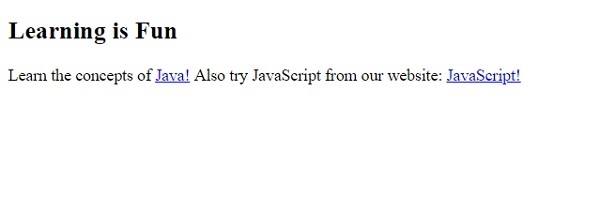
示例
让我们看另一个例子,其中我们可以使用 href 设置用户的电子邮件 ID −
<!DOCTYPE html>
<html>
<body>
<h2>Learning is Fun</h2>
<p>
Learn the concepts of <a href="https://tutorialspoint.com/java">Java!</a>
Also try JavaScript from our website: <a href="/javascript">JavaScript!</a>
<p>For more tutorials, kindly <a href="mailto:abcd@demo.com?cc=pqr@demo.com&subject=DEMO EMAIL">EMAIL</a></p>
</a>
</p><br>
</body>
</html>
输出
这将产生以下输出 −
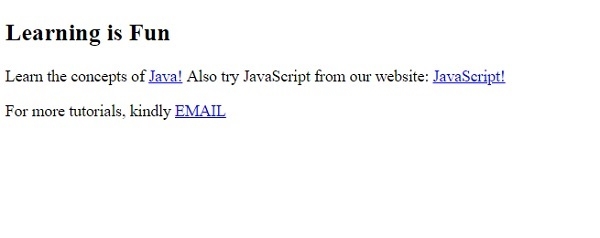
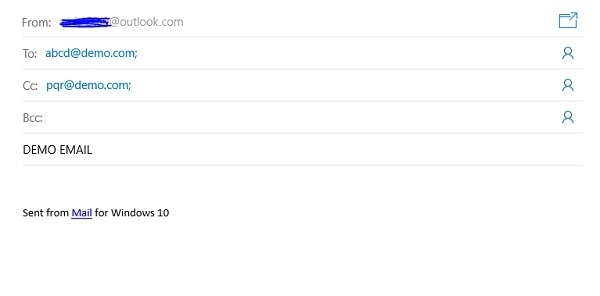
如果您在系统上运行上述程序并点击"电子邮件",它将打开以下电子邮件应用程序,该应用程序已设置为默认应用程序。此处,我们将默认电子邮件应用程序设置为 OUTLOOK −
相关文章
有用资源
html 参考教程 - 该教程包含有关 html 的更多信息:https://www.cainiaomax.com/html/

