
HTML a 标签
htmlweb developmentfront end technology更新于 2026/1/30 1:48:17
HTML 中的 <a> 元素用于通过超链接将一个页面链接到另一个页面。未访问的链接为蓝色,已访问的链接为紫色,而活动链接为红色。所有这些链接在 Web 浏览器中都显示为蓝色,并带有下划线。您可以链接到外部网页或本地页面。
以下是 − 的属性
| 属性 |
值 |
描述 |
|---|---|---|
| charset (deprecated) |
character_encoding |
定义链接文档的字符编码。 |
| cords (deprecated) |
if shape = "rect" then coords = "left, top, right, bottom" if shape = "circ" then coords = "centerx,centery,radius" if shape = "poly" then coords = "x1, y1, x2, y2,..,xn,yn" |
指定适合形状属性的坐标来定义图像地图的图像区域。 |
| download |
filename |
当用户点击超链接时,这将下载目标。 |
| href |
URL |
指定页面的 URL 或链接指向的锚点的名称。 |
| hreflang |
language_code |
目标网址的语言代码。 |
| media |
media_query |
它指定链接文档针对哪种媒体进行优化 |
| name (deprecated) |
section name |
标记链接跳转到的页面区域。 |
| rel |
alternate designates stylesheet start next prev contents index glossary copyright chapter section subsection appendix help bookmark |
描述当前文档和目标 URI 之间的关系。 |
| rev (deprecated) |
alternate designates stylesheet start next prev contents index glossary copyright chapter section subsection appendix help bookmark |
指定目标 URL 和当前文档之间的关系。 |
| shape (deprecated) |
rect rectangle circ circle poly polygon |
指定图像映射的形状 |
| target |
_blank _parent _self _top |
目标 URL 的打开位置。 _blank - 目标 URL 将在新窗口中打开。 _self - 目标 URL 将在点击时所在的框架中打开。 _parent - 目标 URL 将在父框架集中打开。 _top - 目标 URL 将在窗口的整个正文中打开。 |
| type |
mime_type |
指定目标 URL 的 MIME(多用途互联网邮件扩展)类型 |
现在让我们看一个在 HTML 中实现标签的示例 −
示例
<!DOCTYPE html>
<html>
<body>
<h2>Coding Ground</h2>
<h3>Compilers for Programming Languages and Web Technologies</h3>
<nav>
   <a href="/compile_java_online.php">Java</a> |
   <a href="/php_terminal_online.php">PHP</a> |
   <a href="/online_jquery_editor.php">jQuery</a> |
   <a href="/compile_c_online.php">C</a> |
   <a href="/compile_cpp_online.php">C++</a> |
   <a href="/online_angularjs_editor.php">AngularJS</a>
</nav>
</body>
</html>
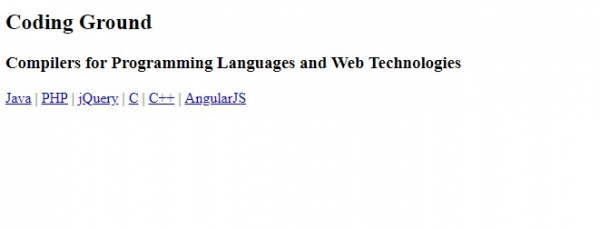
输出
相关文章
有用资源
html 参考教程 - 该教程包含有关 html 的更多信息:https://www.cainiaomax.com/html/

