
HTML 属性
htmlweb developmentfront end technology更新于 2025/11/21 21:32:17
属性用于设置元素的属性,例如图像或画布的宽度和高度。所有元素都可以具有属性并提供更多信息。属性具有名称和值 −
例如 −
<canvas id=”newCanvas” width=”400” height=”300”>
其他示例包括 −
<img alt=”alternate text”>
根据 HTML5 标准,属性两侧不强制使用引号,但始终建议使用引号。
现在让我们看一些 HTML 中属性 − 的使用示例。
HTML <ol> start 属性
<ol> 元素的 start 属性用于设置第一个列表项的起始值。
语法
以下是 − 的语法。
<ol start="num">
以上,num 是第一个列表项的起始值。
示例
现在让我们看一个实现 <ol> 元素 start 属性的示例。 元素 −
<!DOCTYPE html>
<html>
<body>
<h1>Last Semester MCA Result</h1>
<h2>Rank from 1-5</h2>
<ol>
<li>Steve</li>
<li>David</li>
<li>Kane</li>
<li>William</li>
<li>John</li>
</ol>
<h2>Rank from 5-10</h2>
<ol start="5">
<li>Tom</li>
<li>Jack</li>
<li>Will</li>
<li>Harry</li>
<li>Tim</li>
</ol>
</body>
</html>
输出
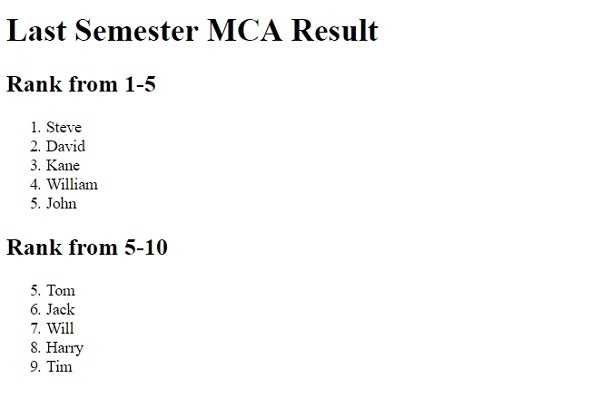
这将产生以下输出 −
HTML <textarea> autofocus 属性
<textarea> 元素的 autofocus 属性用于在页面加载时将自动对焦设置为文本区域本身。该属性在 HTML5 中引入。
语法
以下是语法 −
<textarea autofocus>
示例
现在让我们看一个实现 <textarea> 元素 autofocus 属性的示例 −
<!DOCTYPE html>
<html>
<body>
<h2>Interview Questions</h2>
<p>Why do you want go for the Technical Writer Job Profile? (100 words)</p>
<textarea rows="6" cols="70" autofocus>
Write the answer in 100 words only...
</textarea>
<p>What are your strengths? (50 words)</p>
<textarea rows="4" cols="70" autofocus>
Write the answer in 50 words only...
</textarea>
</body>
</html>
输出
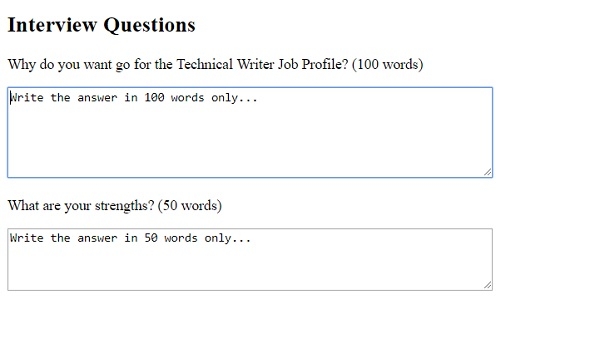
这将产生以下输出 −
相关文章
有用资源
html 参考教程 - 该教程包含有关 html 的更多信息:https://www.cainiaomax.com/html/

