
HTML button autofocus 属性
htmlweb developmentfront end technology更新于 2025/3/20 15:08:17
<button> 元素的 autofocus 属性用于在页面加载时将焦点设置到按钮上。
以下是语法 −
<button type="button" autofocus>
上面,我们已将自动对焦设置为按钮。现在让我们看一个示例,了解如何实现 <button> 元素的 autofocus 属性 −
示例
<!DOCTYPE html>
<html>
<body>
   <h2>演示标题</h2>
   <p>这是一行演示代码。</p>
   <button type="button" autofocus >Demo</button>
</body>
</html>
输出
这将产生以下输出,显示焦点位于按钮 1 − 上。
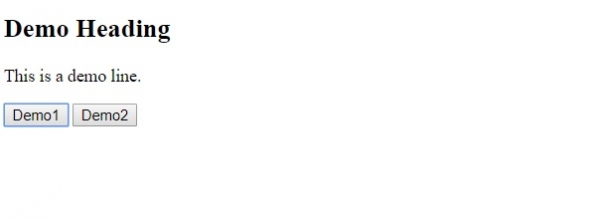
在上面的例子中,我们为按钮元素 − 设置了 autofocus 属性。
<button type="button" autofocus >
   Demo
</button>
现在,当页面加载时,焦点将位于按钮本身上,并且该按钮也会在网页上显示给访问者。
相关文章
有用资源
html 参考教程 - 该教程包含有关 html 的更多信息:https://www.cainiaomax.com/html/

