
HTML DOM 锚点搜索属性
htmlweb developmentfront end technology更新于 2025/6/27 7:08:17
与锚点标签 (<a>) 关联的 HTML DOM 搜索属性返回 href 属性值的查询字符串部分。查询字符串部分位于 URL 中的 ? 之后,通常用于向服务器传递信息。它用于向服务器发送 get 请求,并将信息以明文形式嵌入链接中。
语法
以下是语法
a) 返回搜索属性
anchorObject.search
b) 设置搜索属性
anchorObject.search = querystring
示例
让我们看一个 HTML DOM 锚点搜索属性的示例 −
<!DOCTYPE html>
<html>
<body>
<p><a id="myAnchor" target="_blank"
href="http://www.examplesite.com/ex.htm?id=Username">Example Site</a></p>
<p>Click the button to change the querystring part of the above website</p>
<p>Inspect the url before clicking the button to inspect the changes</p>
<button onclick="demo()">Change Search</button>
<script>
   function demo() {
      document.getElementById("myAnchor").search = "program=Sample";
   }
</script>
</body>
</html>
输出
这将产生以下输出 −
在勾选"显示表单 ID"复选框之前,请先减号
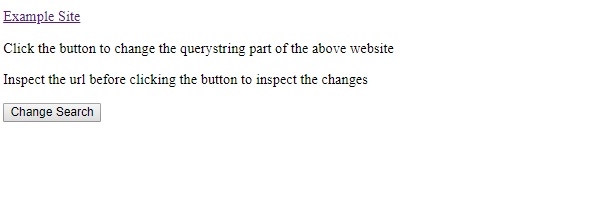
如果不点击"更改搜索"按钮,链接将如下所示 −
www.examplesite.com/ex.htm?id=Username
点击"更改搜索"按钮后,链接将如下所示 −
www.examplesite.com/ex.htm?prog=Sample
在上面的例子中 −
我们采用了带有 search 属性的锚标签来操作 search 属性值,从而设置或返回搜索字符串值。
<p><a id="myAnchor" target="_blank"
href="http://www.examplesite.com/ex.htm?id=Username">示例网站</a></p>
然后我们创建了一个名为"更改搜索"的按钮来执行 myFunction() −
<button onclick="demo()">Change Search</button>
myFunction() 会将搜索字符串部分从 id=”Username” 更改为 program=Sample
function demo() {
   document.getElementById("myAnchor").search = "program=Sample";
}
相关文章
有用资源
html 参考教程 - 该教程包含有关 html 的更多信息:https://www.cainiaomax.com/html/

