
HTML DOM Area 对象
htmlweb developmentfront end technology更新于 2025/9/21 13:32:17
HTML DOM 区域对象与 HTML 中的图像地图关联。区域基本上表示图像地图内可点击的区域。
图像对象帮助我们创建和访问对象内的 <area> 元素。我们可以根据用户输入更改地图内的可点击区域或更改图像地图的形状等。它还可以用于操作区域元素内的链接。
属性
以下是 Area 对象的属性 −
| 值 | 描述 |
|---|---|
| alt | 设置或返回 alt 属性值。 |
| coords | 设置或返回区域的 cords 属性。 |
| hash | 设置或返回 href 属性的锚点部分值。 |
| host | 设置或返回 href 属性值的主机名和端口部分。 |
| hostname | 设置或返回 href 属性值的主机名部分。 |
| href | 设置或返回区域的 href 属性值。 |
| noHref | 设置或返回区域的 nohref 属性值。 HTML5 中已弃用。 |
| origin | 返回 href 属性值的协议、主机名和端口部分。 |
| password | 设置或返回 href 属性值的密码部分。 |
| pathname | 设置或返回 href 属性值的路径名部分。 |
| port | 设置或返回 href 属性值的端口部分。 |
示例
让我们看一个 area 对象的示例 −
<!DOCTYPE html>
<html>
<body>
<img
src="https://upload.wikimedia.org/wikipedia/commons/thumb/f/fb/New7Wonders.jpg/276pxNew7Wonders.jpg" width="400" height="400" usemap="#7Wonders">
<map id="WonderWorld" name="7Wonders">
</map>
<p>Click the button to create an AREA element with a link to "Maya City", which is one of the New Seven Wonders of the World.</p>
<button onclick="myWonder()">CLICK IT</button>
<p id="SAMPLE"></p>
<script>
   function myWonder() {
      var x = document.createElement("AREA");
      x.setAttribute("href", "https://en.wikipedia.org/wiki/Maya_city");
      x.setAttribute("shape", "circle");
      x.setAttribute("coords", "124,58,16");
      document.getElementById("WonderWorld").appendChild(x);
      document.getElementById("SAMPLE").innerHTML = "The AREA element was created, and
      you can now click on Maya City.";
   }
</script>
</body>
</html>
输出
这将产生以下输出 −
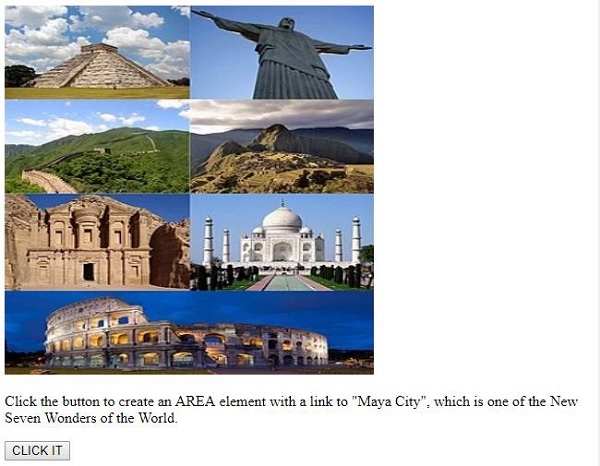
点击"CLICK IT"按钮后 −
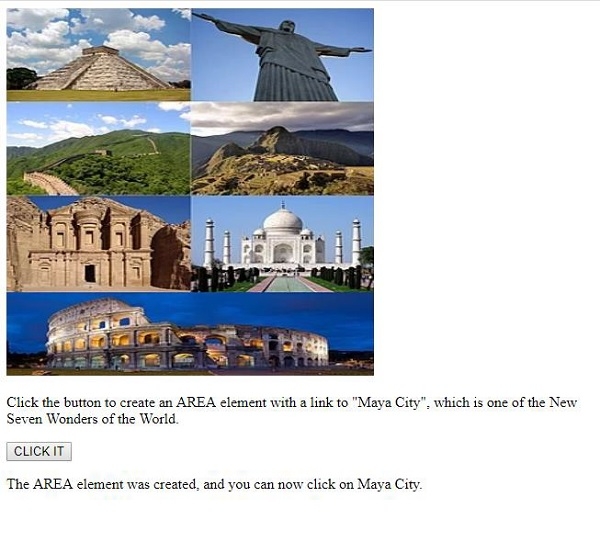
现在,当您点击"玛雅城"时,它会带您到其维基百科页面。
在上面的例子中
我们使用 标签添加了一张图片,并指定了其宽度、高度和 ID。
<img data-fr-src="https://upload.wikimedia.org/wikipedia/commons/thumb/f/fb/New7Wonders.jpg/276pxNew7Wonders.jpg" width="400" height="300" usemap="#7Wonders">
然后我们创建了一个空地图,稍后我们将在其中添加图片、区域和其他内容 −
<map id="WonderWorld" name="7Wonders></map>
然后我们创建了一个名为"CLICK IT"的按钮,它将执行 myWonder() 函数。
<button onclick="myWonder()>>CLICK IT</button>
myWonder() 函数首先创建一个 元素并将其赋值给变量 x。为其设置各种属性,例如 href、shape 和 cords。最后,我们将与变量 x 关联的 元素作为子节点附加到图像映射中,并显示创建的区域元素,现在您可以使用 innerHTML 点击 id 为"Sample"的段落内的"Maya city" −
function myWonder() {
   var x = document.createElement("AREA");
   x.setAttribute("href", "https://en.wikipedia.org/wiki/Maya_city ");
   x.setAttribute("shape", "circle");
   x.setAttribute("coords", "124,58,16");
   document.getElementById("WonderWorld").appendChild(x);
   document.getElementById("SAMPLE").innerHTML = "The AREA element was created, and
   you can now click on Maya City.";
}
相关文章
有用资源
html 参考教程 - 该教程包含有关 html 的更多信息:https://www.cainiaomax.com/html/

