
HTML DOM blockquote cite 属性
htmlweb developmentfront end technology更新于 2025/9/21 16:12:17
HTML DOM blockquote cite 属性与 HTML <blockquote> 元素关联。此属性用于设置或返回引用的 cite 属性。cite 属性对屏幕阅读器有用,但对普通用户不太有用,因为它在网页上没有任何视觉效果。cite 属性用于设置引用的源 URL。
语法
以下是语法 −
设置 cite 属性 −
blockquoteObject.cite = URL
此处,URL 指定引用位置。
示例
让我们看一个 blockquote cite 属性的示例 −
<!DOCTYPE html>
<html>
<body>
<h2>Quote</h2>
<p>Here is a quote:</p>
<blockquote id="myBlockquote" cite="www.webexample.com">
Here is some sample text in place of quote.
</blockquote>
<p>Click the button below to change the above quote cite value.</p>
<button onclick="citeChange()">CHANGE</button>
<p id="Sample"></p>
<script>
   function citeChange() {
      document.getElementById("myBlockquote").cite = "http://www.examplesite.com";
      document.getElementById("Sample").innerHTML = "The value of the cite attribute was
      changed to 'www.examplesite.com' ";
   }
</script>
</body>
</html>
输出
这将产生以下输出 −
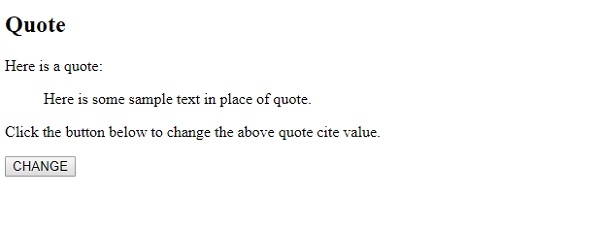
点击"更改"按钮 −
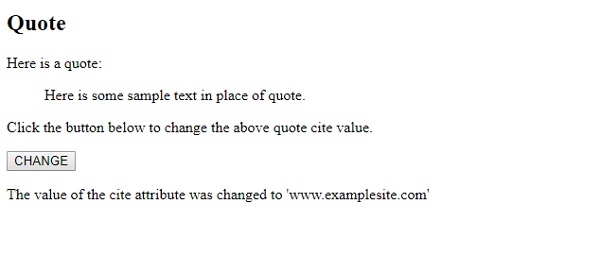
在上面的例子中 −
我们取了一个 <blockquote> 元素,其 id 为 “myBlockquote”,其 cite 属性值为 webexample −
<blockquote id="myBlockquote" cite="www.webexample.com">
Here is some sample text in place of quote.
</blockquote>
然后我们有一个按钮 CHANGE 来执行 citeChange() 函数 −
<button onclick="citeChange()">CHANGE</button>
citeChange() 函数获取 id 为 “myBlockquote” 的元素,获取其 cite 属性并将其更改为 “www.examplesite.com”。更改 cite 值后,消息 “cite 属性的值已更改为 'www.examplesite.com'” 将显示在与其关联的 id 为 “Sample” 的段落中。
function citeChange() {
   document.getElementById("myBlockquote").cite = "http://www.examplesite.com";
   document.getElementById("Sample").innerHTML = "The value of the cite attribute was changed to 'www.examplesite.com' ";
}
相关文章
有用资源
html 参考教程 - 该教程包含有关 html 的更多信息:https://www.cainiaomax.com/html/

