
HTML DOM 按钮 autofocus 属性
htmlweb developmentfront end technology更新于 2025/9/21 11:56:17
HTML DOM 按钮的 autofocus 属性与 <button> 元素的 autofocus 属性相关联。按钮的 autofocus 属性用于指定 HTML 文档中的按钮在页面加载时是否应获得焦点。
语法
以下是语法 −
设置按钮 autofocus 属性 −
buttonObject.autofocus = true|false
此处,true|false 指定给定输入按钮是否应在页面加载时获得焦点。
- True −输入按钮获得焦点
- False − 输入按钮未获得焦点。
示例
让我们看一个 HTML DOM 按钮自动对焦属性的示例 −
<!DOCTYPE html>
<html>
<body>
<button type="button" id="MyButton" autofocus>BUTTON</button>
<p>Click the below button to know if the input button above automatically gets the focus on page load or not</p>
<button onclick="buttonFocus()">CLICK IT</button>
<p id="Sample"></p>
<script>
   function buttonFocus() {
      var x = document.getElementById("MyButton").autofocus;
      if(x==true)
         document.getElementById("Sample").innerHTML="The input button does get focus on page load";
      else
         document.getElementById("Sample").innerHTML="The input button does not get focus on
      page load";
   }
</script>
</body>
</html>
输出
这将产生以下输出 −
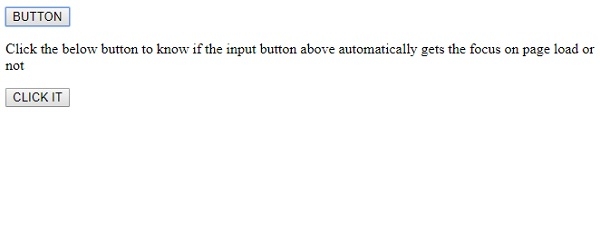
点击"CLICK IT"按钮时 −
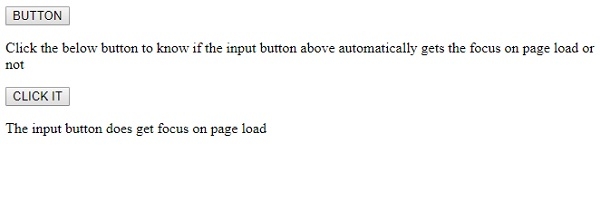
在上面的例子中 −
我们有一个 id 为"MyButton"的按钮,并且启用了 autofocus 属性 −
<button type="button" id="MyButton" autofocus>BUTTON</button>
然后我们有一个 CLICK IT 按钮来执行 buttonFocus() 函数 −
<button onclick="buttonFocus()">CLICK IT</button>
buttonFocus() 函数使用 getElementById() 方法获取按钮元素,并获取其自动对焦值(布尔值),并将其赋值给变量 x。我们使用条件语句检查自动对焦值的真假,并在与其关联的 ID 为"Sample"的 <p> 元素中显示相应的文本。
function buttonFocus() {
   var x = document.getElementById("MyButton").autofocus;
   if(x==true)
      document.getElementById("Sample").innerHTML="The input button does get focus on page load";
   else
      document.getElementById("Sample").innerHTML="The input button does not get focus on page load";
}
相关文章
有用资源
html 参考教程 - 该教程包含有关 html 的更多信息:https://www.cainiaomax.com/html/

