
HTML DOM createComment() 方法
htmlweb developmentfront end technology更新于 2025/9/24 2:52:17
HTML DOM createComment() 方法用于创建带有给定文本的注释节点。它将要创建的注释作为参数。由于注释不可见,您必须在执行此方法后检查 HTML 文档才能看到创建的注释。
语法
以下是 createComment() 方法的语法 −
document.createComment( text );
此处,text 为字符串类型,包含要添加到注释中的数据。
示例
让我们来看一个 createComment() 方法的示例 −
<!DOCTYPE html>
<html>
<body>
<p>Click on below button to create and add a comment to this HTML document.</p>
<button onclick="Comment()">COMMENT</button>
<p id="Sample"></p>
<script>
   function Comment() {
      var x = document.createComment("This is a sample comment");
      document.body.appendChild(x);
      var p = document.getElementById("Sample");
      x.innerHTML = "The comment was added and can only be seen in the HTML document only";
   }
</script>
<p>Inspect the code to see the comment in the html document</p>
</body>
</html>
输出
这将产生以下输出 −
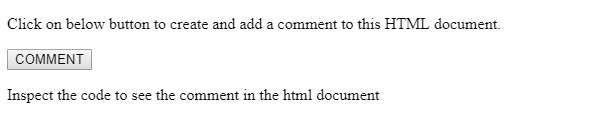
点击"COMMENT"后,检查代码以查看 HTML 文档中的注释。−

在上面的例子中,−
我们创建了一个按钮"COMMENT",当用户点击该按钮时,它将执行 Comment() 函数。
<button onclick="Comment()>>COMMENT</button>
Comment() 函数使用 document 对象的 createComment() 方法创建一个注释,并将传入的消息作为参数。创建的注释被赋值给变量 x。
然后使用 document.body appendChild() 方法将注释添加到文档正文中。上面创建的注释作为参数传递给 appendChild() 方法。然后,通过获取 <p> 元素的 id 并将其 innerHTML 属性值设置为给定的消息,在元素内部显示合适的消息 −
function Comment() {
   var x = document.createComment("This is a sample comment");
   document.body.appendChild(x);
   var p = document.getElementById("Sample");
   x.innerHTML = "The comment was added and can only be seen in the HTML document only";
}
相关文章
有用资源
html 参考教程 - 该教程包含有关 html 的更多信息:https://www.cainiaomax.com/html/

