
HTML DOM designMode 属性
htmlweb developmentfront end technology更新于 2025/10/2 5:32:17
HTML DOM designMode 属性允许我们指定整个文档是否可编辑。这使得 HTML 文档充当所见即所得 (WYSIWYG) 编辑器,因为我们可以编辑 HTML 文档。此属性默认设置为"off",设置为"on"即可编辑文档。
语法
以下是语法 −
设置 designMode 属性 −
document.designMode = "on|off"
其中,"off"是默认值,设置为"on"允许我们编辑文档。
示例
让我们看一个 HTML DOM designMode 属性的示例 −
<!DOCTYPE html>
<html>
<body>
<h1>Document designMode Property</h1>
<p> This is a paragraph with some text</p>
<button type="button">BUTTON1</button>
<script>
   document.designMode="on";
</script>
</body>
</html>
输出
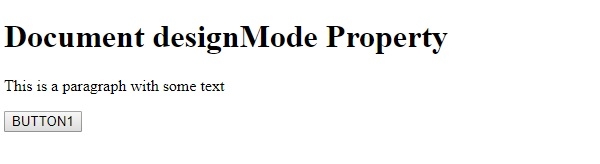
这将产生以下输出 −
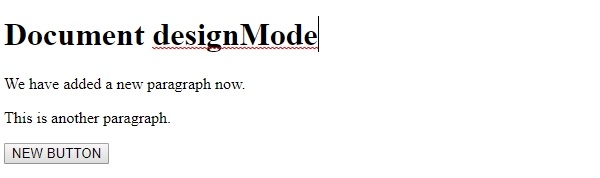
编辑文档后 −
在上面的例子中,−
我们创建了几个 HTML 元素。例如,一个 <h1> 元素、一个 <p> 元素和一个 <button> 元素 −
<h1>Document designMode Property</h1>
<p> This is a paragraph with some text</p>
<button type="button">BUTTON1</button>
然后,我们将 document.designMode 设置为"on",这样我们就可以编辑 HTML 文档了。现在我们可以更改任何文本,甚至可以通过清除文本来删除元素。
例如:删除按钮文本后,按钮也会被删除。
<script>
document.designMode="on";
</script>
相关文章
有用资源
html 参考教程 - 该教程包含有关 html 的更多信息:https://www.cainiaomax.com/html/

