
HTML DOM iFrame 对象
htmlweb developmentfront end technology更新于 2025/6/23 6:36:17
HTML DOM iframe 对象表示 HTML 文档的 <iframe> 元素。
现在让我们创建 iframe 对象 −
语法
以下是 − 的语法
document.createElement(“IFRAME”);
属性
以下是 iframe 对象的属性 −
| 属性 | 说明 |
|---|---|
| contentDocument | 返回由 iframe HTML 元素生成的 document 对象。 |
| contentWindow | 返回由 iframe HTML 元素生成的 window 对象。 |
| height | 返回并修改 iframe HTML 元素的 height 属性值。 |
| name | 返回并修改 iframe HTML 元素的 name 属性值。 |
| sandbox | 返回并修改iframe HTML 元素。 |
| 无缝 | 返回并修改 iframe 是否看起来无缝,就像它是网页的一部分一样,即没有边框和滚动条。 |
| src | 返回并修改 iframe HTML 元素的 src 属性值。 |
| srcdoc | 返回并修改 iframe HTML 元素的 srcdoc 属性值。 |
| 宽度 | 返回并修改 iframe HTML 元素的 width 属性值。 |
示例
让我们看一个 DOM iframe 对象的示例 −
<!DOCTYPE html>
<html>
<head>
<style>
   body{
      text-align:center;
   }
   .btn{
      background-color:lightblue;
      border:none;
      height:2rem;
      border-radius:50px;
      width:60%;
      margin:1rem auto;
   }
</style>
</head>
<body>
<h1>DOM IFrame Object Example</h1>
<button onclick="createIframe()" class="btn">Click me to create an iframe</button>
<script>
   function createIframe() {
      var x = document.createElement("IFRAME");
      x.setAttribute("src", "https://tutorialspoint.com/");
      document.body.appendChild(x);
   }
</script>
</body>
</html>
输出
这将产生以下输出 −
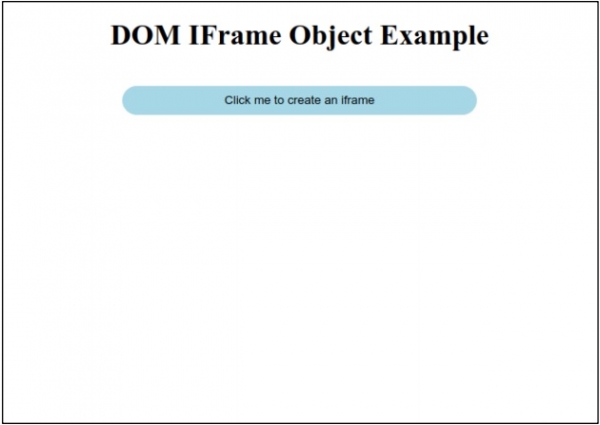
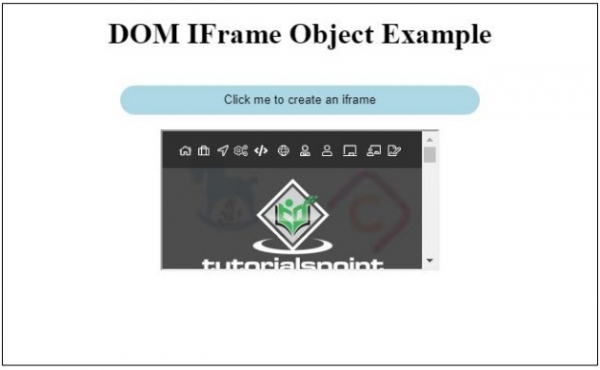
点击"点击我来创建 iframe"按钮来创建 iframe −
相关文章
有用资源
html 参考教程 - 该教程包含有关 html 的更多信息:https://www.cainiaomax.com/html/

