
HTML DOM 输入日期 readOnly 属性
htmlweb developmentfront end technology更新于 2025/8/6 23:08:17
HTML DOM 输入日期 readOnly 属性设置/返回输入日期是否可以修改。
语法
以下是语法 −
- 返回布尔值 - true/false
inputDateObject.readOnly
- 将 readOnly 设置为 booleanValue
inputDateObject.readOnly = booleanValue
布尔值
这里,"booleanValue"可以是以下 −
| booleanValue | Details |
|---|---|
| true | 定义输入日期为只读。 |
| false | 定义输入日期不是只读的,可以修改。 |
示例
让我们看一个输入日期readOnly 属性 −
<!DOCTYPE html>
<html>
<head>
<title>Input Date readOnly</title>
</head>
<body>
<form>
Final Exam Date: <input type="date" id="dateSelect">
</form>
<button onclick="finalizeDate()">Confirm Date</button>
<div id="divDisplay"></div>
<script>
   var divDisplay = document.getElementById("divDisplay");
   var inputDate = document.getElementById("dateSelect");
   divDisplay.textContent = 'Exam Date Finalized: '+inputDate.readOnly;
   function finalizeDate() {
      inputDate.readOnly = true;
      divDisplay.textContent = 'Exam Date: '+inputDate.value;
   }
</script>
</body>
</html>
输出
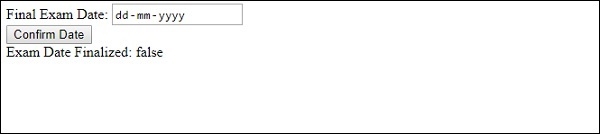
这将产生以下输出 −
点击"确认日期"按钮之前 −
点击"确认日期"按钮之后 −

相关文章
有用资源
html 参考教程 - 该教程包含有关 html 的更多信息:https://www.cainiaomax.com/html/

