
HTML DOM Input Number readOnly 属性
htmlweb developmentfront end technology更新于 2025/6/2 2:20:17
HTML DOM 输入数字 readOnly 属性返回并修改 HTML 文档中输入数字字段是否为只读。
语法
以下是语法 −
返回 readOnly
object.readOnly
修改 readOnly
object.readOnly = true | false
示例
让我们看一个输入数字 readOnly 属性的示例 −
<!DOCTYPE html>
<html>
<head>
<style>
   html{
      height:100%;
   }
   body{
      text-align:center;
      color:#fff;
      background: linear-gradient(62deg, #FBAB7E 0%, #F7CE68 100%) center/cover no-repeat;
      height:100%;
   }
   p{
      font-weight:700;
      font-size:1.1rem;
   }
   input{
      display:block;
      width:35%;
      border:2px solid #fff;
      background-color:transparent;
      color:#fff;
      font-weight:bold;
      padding:8px;
      margin:1rem auto;
      outline:none;
   }
   .btn{
      background:#0197F6;
      border:none;
      height:2rem;
      border-radius:2px;
      width:35%;
      margin:2rem auto;
      display:block;
      color:#fff;
      outline:none;
      cursor:pointer;
   }
</style>
</head>
<body>
<h1>DOM Input number readOnly property Demo</h1>
<p>Hi, Select your day of birth?</p>
<input type="number" class="numberInput">
<button onclick="rFunction()" class="btn">Read Only</button>
<button onclick="rWFunction()" class="btn">Read & Write</button>
   <script>
      function rFunction() {
         var monthInput = document.querySelector(".numberInput");
         monthInput.readOnly =true;
      }
      function rWFunction(){
         var monthInput = document.querySelector(".numberInput");
         monthInput.readOnly =false;
      }
   </script>
</body>
</html>
输出
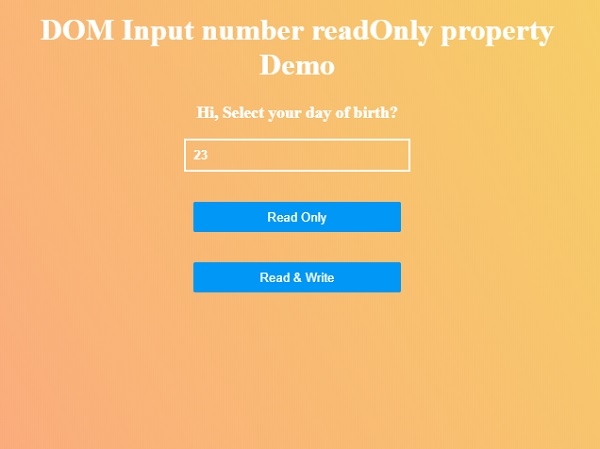
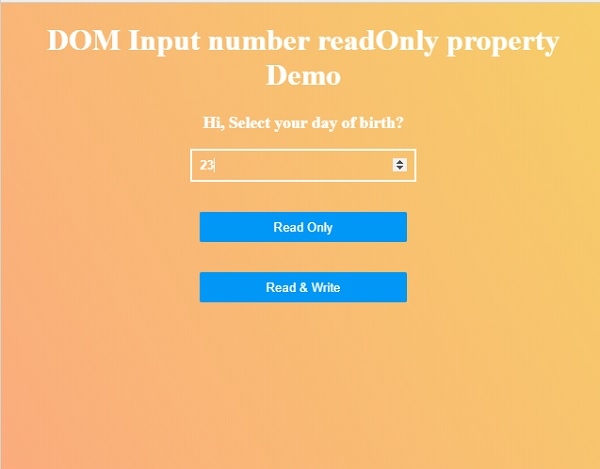
这将产生以下输出 −

单击"只读"然后单击"读取和写入"按钮以了解 readOnly 属性的工作原理。
相关文章
有用资源
html 参考教程 - 该教程包含有关 html 的更多信息:https://www.cainiaomax.com/html/

