
HTML DOM Input Radio type 属性
htmlweb developmentfront end technology更新于 2025/10/16 10:52:17
HTML DOM Input Radio type 属性与 type="radio"的输入元素关联。对于输入单选按钮元素,它将始终返回 radio。
语法
以下是单选按钮类型属性的语法 −
radioObject.type
示例
让我们看一个单选按钮类型属性的示例 −
<!DOCTYPE html>
<html>
<body>
<h1>Input radio type Property</h1>
<form>
FRUIT:
<input type="radio" name="fruits" id="Mango">Mango
<br>
</form>
<p>Get the above input element type by clicking the below button</p>
<button type="button" onclick="radioType()">GET Type</button>
<p id="Sample"></p>
<script>
   function radioType() {
      var P=document.getElementById("Mango").type;
      document.getElementById("Sample").innerHTML = "The type for the input field is: "+P ;
   }
</script>
</body>
</html>
输出
这将产生以下输出 −
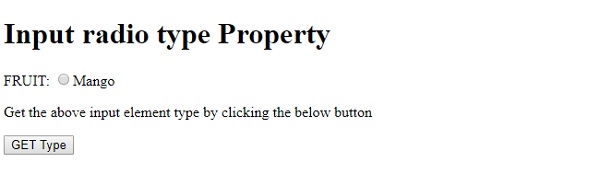
点击"GET Type"按钮 −
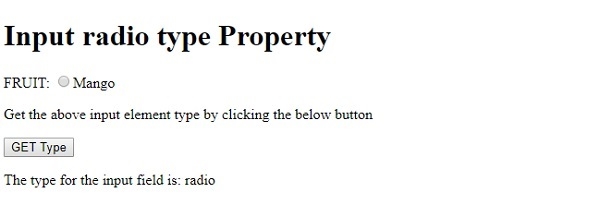
我们首先在表单中创建了一个输入元素,其 type=”radio”、name=”fruits”、id=”Mango” −
<form>
FRUIT:
<input type="radio" name="fruits" id="Mango">Mango
</form>
然后,我们创建了一个"GET Type"按钮,当用户点击该按钮时,它将执行 radioType() 方法 −
<button type=”button” onclick="radioType()">GET Type</button>
radioType() 方法使用 getElementById() 方法获取输入元素,并将其 type 属性值赋给变量 P。然后,该变量将使用其 innerHTML 属性显示在 id 为"Sample"的段落中。 −
function getType() {
   var P = document.getElementById("Mango").type;
   document.getElementById("Sample").innerHTML = "The type for the input field is : "+P;
}
相关文章
有用资源
html 参考教程 - 该教程包含有关 html 的更多信息:https://www.cainiaomax.com/html/

