
HTML DOM isDefaultNamespace( ) 方法
htmlweb developmentfront end technology更新于 2025/9/16 11:56:17
HTML DOM isDefaultNamespace() 方法返回布尔值 (true/false),用于判断指定的命名空间是否为默认命名空间。
注意 − 元素节点会继承其父节点的命名空间,因此,XHTML 文档中的所有元素都具有命名空间 URI"http://www.w3.org/1999/xhtml"。
语法
以下是语法 −
调用 isDefaultNamespace()
document.documentElement.isDefaultNamespace("nameSpaceURI")
示例
让我们看一个示例isDefaultNamespace() 方法 −
<!DOCTYPE html>
<html>
<head>
<title>isDefaultNamespace()</title>
<style>
   form {
      width:70%;
      margin: 0 auto;
      text-align: center;
   }
   * {
      padding: 2px;
      margin:5px;
   }
   input[type="button"] {
      border-radius: 10px;
   }
</style>
</head>
<body>
<form>
<fieldset>
<legend>isDefaultNamespace( )</legend>
<label for="textSelect">URI:
<input type="url" size="25" id="textSelect" placeholder="http://www.abc.com">
</label><br>
<input type="button" onclick="confirmNameSpace()" value="Check">
<div id="divDisplay"></div>
</fieldset>
</form>
<script>
   var divDisplay = document.getElementById("divDisplay");
   var inputText = document.getElementById("textSelect");
   divDisplay.textContent = 'NOTE: Check if specified URI is DefaultNamespace';
   function confirmNameSpace() {
      if(document.documentElement.isDefaultNamespace(textSelect.value))
         divDisplay.textContent = 'Above given namespace is default';
      else
         divDisplay.textContent = 'Above given namespace is not default';
   }
</script>
</body>
</html>
输出
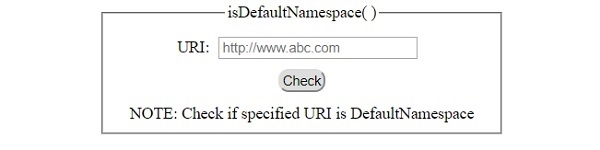
这将产生以下输出 −
点击"检查"按钮之前 −
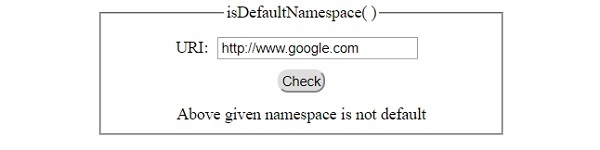
点击"检查"按钮后,输入无效 −
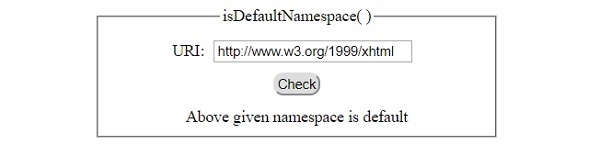
点击"检查"按钮并输入有效信息后 −
相关文章
有用资源
html 参考教程 - 该教程包含有关 html 的更多信息:https://www.cainiaomax.com/html/

