
HTML DOM Map 对象
htmlweb developmentfront end technology更新于 2025/9/19 9:48:17
HTML 中的 HTML DOM Map 对象表示 <map> 元素。
语法
以下是语法 −
创建 <map> 元素
var mapObject = document.createElement(“MAP”)
属性
其中,“mapObject” 可以包含以下集合 &属性 −
| 集合/属性 | 描述 |
|---|---|
| areas | 返回所有 <area> 元素的集合 |
| images | 返回所有 <img> & 的集合<object> 元素 |
| name | 设置/返回 <map> 元素的 name 属性值 |
示例
让我们看一个 Map areas 集合的示例 −
<!DOCTYPE html>
<html>
<head>
<title>Map areas collection</title>
<style>
   form {
      width:70%;
      margin: 0 auto;
      text-align: center;
   }
   * {
      padding: 2px;
      margin:5px;
   }
   input[type="button"] {
      border-radius: 10px;
   }
</style>
</head>
<body>
<form>
<fieldset>
<legend>Map-areas-collection</legend>
<img src="https://upload.wikimedia.org/wikipedia/commons/thumb/f/fb/New7Wonders.jpg/276px-New7Wonders.jpg" width="250" height="150" usemap="#7Wonders">
<map id="WonderWorld" name="7Wonders">
</map>
<div id="divDisplay"></div>
<input type="button" value="Apply Link" onclick="myWonder()">
</fieldset>
</form>
<script>
   function myWonder() {
      var divDisplay = document.getElementById("divDisplay");
      var newArea = document.createElement("AREA");
      newArea.setAttribute("href", "https://en.wikipedia.org/wiki/Giza_pyramid_complex");
      newArea.setAttribute("shape", "rect");
      newArea.setAttribute("coords", "120,10,10,40");
      document.getElementById("WonderWorld").appendChild(newArea);
      divDisplay.textContent = "Link was applied, hover and click on pyramid of giza.";
   }
</script>
</body>
</html>
输出
这将产生以下输出 −
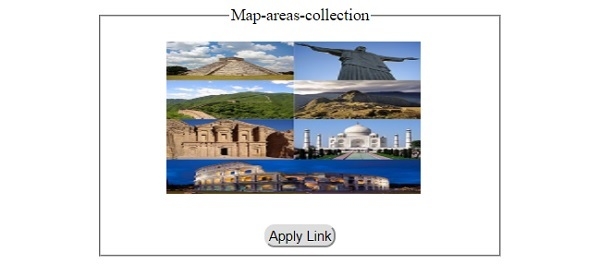
点击"应用链接"按钮前 −
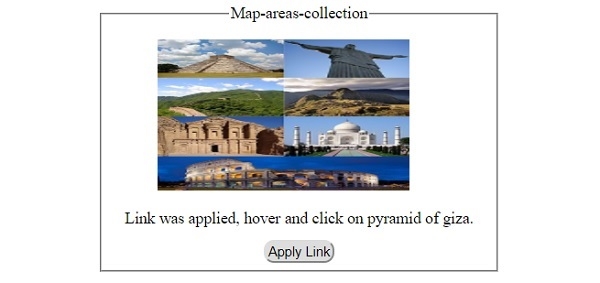
点击"应用链接"按钮后 −
相关文章
有用资源
html 参考教程 - 该教程包含有关 html 的更多信息:https://www.cainiaomax.com/html/

