
HTML DOM 选项文本属性
htmlweb developmentfront end technology更新于 2025/6/23 11:24:17
HTML DOM 选项文本属性用于返回并修改 HTML 文档中选项的文本。
语法
以下是语法 −
1. 返回文本
object.text
2. 修改文本
object.text = “text”
示例
让我们看一个 HTML DOM 选项文本属性的示例 −
<!DOCTYPE html>
<html>
<head>
<style>
   html{
      height:100%;
   }
   body{
      text-align:center;
      color:#fff;
      background: radial-gradient( circle farthest-corner at 23.1% 64.6%, rgba(129,125,254,1) 0%, rgba(111,167,254,1) 90% ) no-repeat;
      height:100%;
   }
   p{
      font-weight:700;
      font-size:1.1rem;
   }
   .drop-down{
      display:block;
      width:35%;
      border:2px solid #fff;
      font-weight:bold;
      padding:2px;
      margin:1rem auto;
      outline:none;
   }
   .btn{
      background:orange;
      border:none;
      height:2rem;
      border-radius:2px;
      width:35%;
      margin:2rem auto;
      display:block;
      color:#fff;
      font-weight:bold;
      outline:none;
      cursor:pointer;
   }
   .show{
      font-size:1.5rem;
      font-weight:bold;
   }
</style>
</head>
<body>
<h1>DOM Option text Property Demo</h1>
<p>Hi, Select your favourite subject −</p>
<select class='drop-down'>
<option>Physics</option>
<option>Biology<option>
<option>Maths<option>
</select>
<button type="button" onclick="changePhysicsName()" class="btn">Change Physics
Subject Name</button>
<div class="show"></div>
<script>
   function changePhysicsName() {
      document.querySelector(".drop-down").options[0].text="Applied Physics";
      document.querySelector(".show").innerHTML="Now Physics become Applied Physics";
   }
</script>
</body>
</html>
输出
这将产生以下输出 −
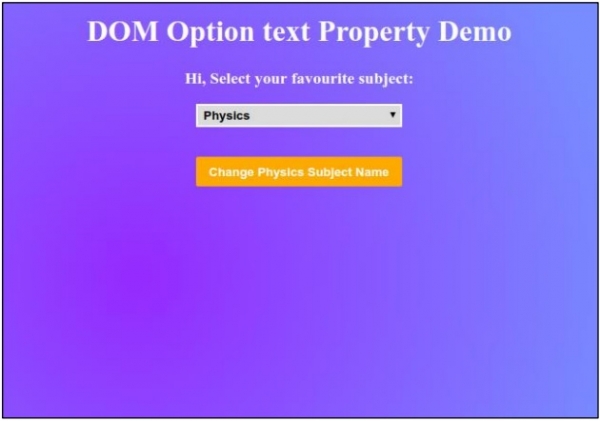
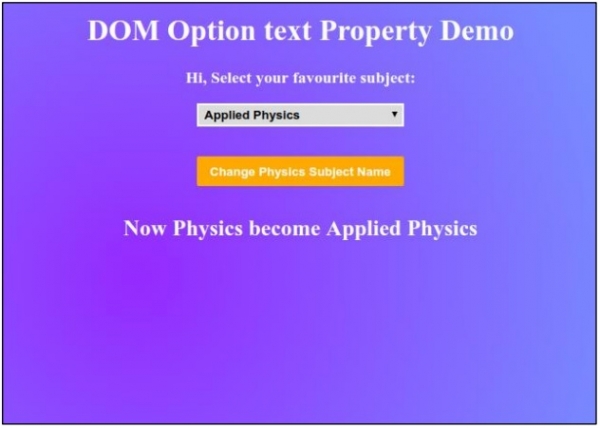
点击“更改物理学科名称”按钮来更改物理选项的文本。
相关文章
有用资源
html 参考教程 - 该教程包含有关 html 的更多信息:https://www.cainiaomax.com/html/

