
HTML DOM Textarea 的 required 属性
htmldomweb developmentfront end technology更新于 2024/5/22 0:12:17
HTML DOM Textarea 的 required 属性用于返回并修改 HTML 文档中文本区域的 required 属性值。
语法
以下是语法 −
1. 返回 required
object.required
2. 修改 required
object.required = true | false
让我们看一个 HTML DOM Textarea required 属性的示例:
示例
<!DOCTYPE html>
<html>
<head>
<title>DOM Textarea required Property</title>
<style>
   body {
      text-align: center;
   }
   .btn {
      display: block;
      margin: 1rem auto;
      background-color: #db133a;
      color: #fff;
      border: 1px solid #db133a;
      padding: 0.5rem;
      border-radius: 50px;
      width: 20%;
   }
   .show-message {
      font-weight: bold;
      font-size: 1.4rem;
      color: #ffc107;
   }
</style>
</head>
<body>
<h1>DOM Textarea required Property Demo</h1>
<form id="form" method="post" action="">
<fieldset>
<legend>Form </legend>
<textarea rows="5" cols="20" required placeholder="Enter a message"></textarea>
<input type="submit" class="btn" value="Submit Form" onclick="checkRequired()">
</fieldset>
</form>
<div class="show-message"></div>
<script>
   function checkRequired() {
      var textarea = document.querySelector("textarea");
      if (textarea.value === "") {
         document.querySelector(".show-message").innerHTML = "Please enter a message!";
      }
   }
</script>
</body>
</html>
输出
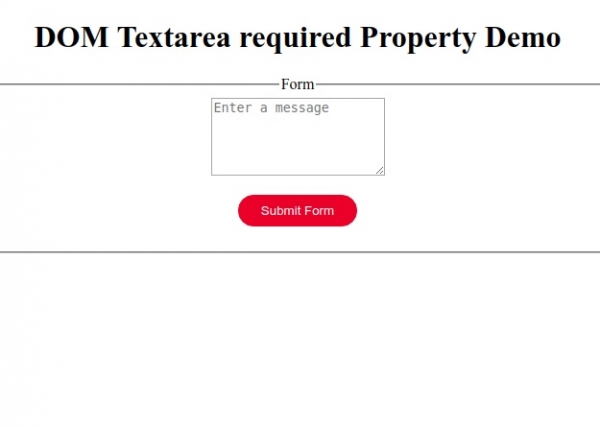
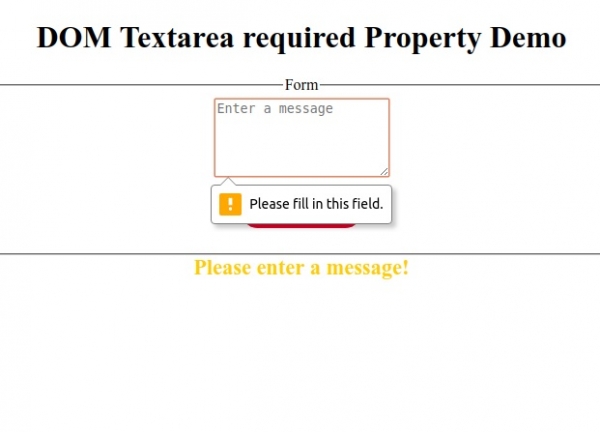
点击"提交表单"按钮,无需在 textarea 元素中输入任何消息。
相关文章
有用资源
html 参考教程 - 该教程包含有关 html 的更多信息:https://www.cainiaomax.com/html/

