
HTML DOM UiEvent detail 属性
htmlweb developmentfront end technology更新于 2025/7/24 1:48:17
HTML DOM UiEvent detail 属性返回与连续触发的点击次数相对应的数字。
注意 如果触发 ondblclick 事件,则返回值为"2",如果触发 onmouseover 或 onmouseout 事件,则始终为"0"。
语法
以下是语法 −
返回连续触发的点击次数 −
event.detail
让我们看一个 Event detail 属性的示例 −
示例
<!DOCTYPE html>
<html>
<head>
<title>HTML DOM UiEvent detail</title>
<style>
   form {
      width:70%;
      margin: 0 auto;
      text-align: center;
   }
   * {
      padding: 2px;
      margin:5px;
   }
   input[type="button"] {
      border-radius: 10px;
   }
   #playArea {
      display: inline-block;
      border-radius: 50%;
      background-color: #DC3545;
      width: 50px;
      height: 50px;
      border: 3px solid #AC3509;
   }
   #clickOn {
      border: 3px solid #F0FF33;
      margin: 15px auto;
      border-radius: 50%;
      background-color: #FFF933;
      width: 10px;
      height: 10px;
   }
   h2 {
      display: inline-block;
   }
</style>
</head>
<body>
   <form>
      <fieldset>
         <legend>HTML-DOM-UiEvent-detail</legend>
         <h2 id="highScore">High Score: 0</h2>
         <h2 id="currScore">Current Score: 0</h2><br>
         <div id="playArea"><div onclick="getHighScore(event)" id="clickOn"></div></div><br>
      </fieldset>
   </form>
<script>
   var clickOn = document.getElementById("clickOn");
   var playDisplay = document.getElementById("playArea");
   var highScore = document.getElementById("highScore");
   var currScore = document.getElementById("currScore");
   var high = 0, score = 0;
   function getHighScore(event) {
      var score = event.detail;
      currScore.textContent = 'Current Score: '+score;
         if(score > high){
            highScore.textContent = 'High Score: '+score;
            high = score;
         }
   }
</script>
</body>
</html>
输出
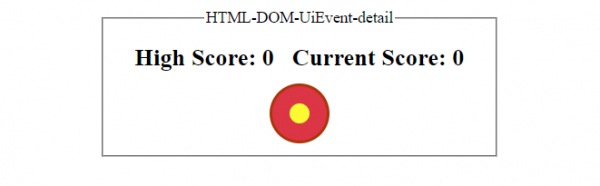
点击黄色 div 元素之前 −
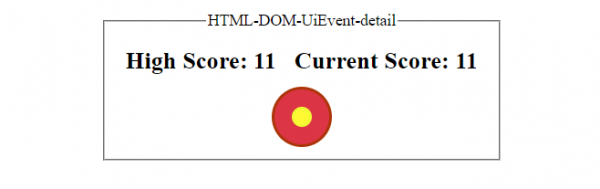
连续点击黄色 div 元素之后 −
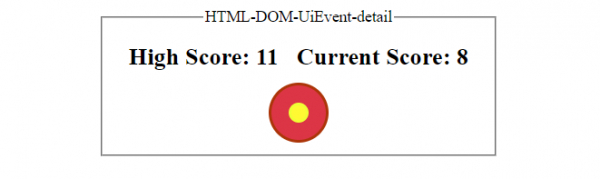
连续点击黄色 div 元素但点击次数少于上次后 −
相关文章
有用资源
html 参考教程 - 该教程包含有关 html 的更多信息:https://www.cainiaomax.com/html/

