
HTML 地理定位
htmlweb developmentfront end technology更新于 2025/11/28 12:28:17
HTML 地理定位用于获取用户的实时地理位置(仅在用户允许的情况下)。它可以用于多种用途。它使用 JavaScript 获取经纬度。
注意−在 Google Chrome 50 之前,地理位置请求可以被批准,但从 Chrome 50 开始,只有通过 HTTPS 的请求才会被批准,通过 HTTP 的请求会被忽略。
语法
以下是语法 −
navigator.geolocation.getCurrentPosition()
此处,getCurrentPosition() 返回的对象可以具有以下属性 −
| 属性 | 返回值 |
|---|---|
| coords.latitude | 十进制地理纬度数字 |
| coords.longitude | 十进制数形式的地理经度 |
| coords.accuracy | 位置精度 |
| coords.altitude | 海拔高度(以米为单位) |
| coords.altitudeAccuracy | 位置高度精度 |
| coords.heading | 航向(以北顺时针方向) |
| coords.speed | 速度(以米为单位)秒 |
| imestamp | 响应的日期/时间 |
让我们看一个 HTML 地理位置如何提供错误处理的示例 −
示例
<!DOCTYPE html>
<html>
<head>
<title>HTML Geolocation</title>
<style>
   * {
      padding: 2px;
      margin:5px;
   }
   form {
      width:70%;
      margin: 0 auto;
      text-align: center;
   }
   input[type="button"] {
      border-radius: 10px;
   }
</style>
</head>
<body>
<form>
<fieldset>
<legend>HTML-Geolocation</legend>
<input type="button" value="Update Location" onclick="updateLocation()">
<input type="button" value="Search" onclick="searchLoc()">
<div id="divDisplay">Current Location:</div>
<div>
<span id="latitude">Latitude: 42.9177901</span>
<span id="longitude">Longitude: -75.8114698</span>
</div>
<script>
   var latObj = document.getElementById("latitude");
   var longObj = document.getElementById("longitude");
   var divDisplay = document.getElementById("divDisplay");
   function searchLoc(){
      var lat = latObj.textContent.split(": ")[1];
      var long = longObj.textContent.split(": ")[1];
      var url = "https://www.google.com/maps/@"+lat+","+long+",8.58z";
      browseWindow = window.open(url, "browseWindow", "width=400, height=200");
   }
   function updateLocation(){
      browseWindow.close();
      var user = navigator.geolocation;
      if (user)
         user.getCurrentPosition(updatePosition, errorHandler);
      else
         divDisplay.textContent = "Geolocation is not supported in this browser";
   }
   function updatePosition(position) {
      divDisplay.innerHTML = 'Location Updated<br>Current Location:';
      latObj.textContent = 'Latitude: '+position.coords.latitude;
      longObj.textContent = 'Longitude: '+position.coords.longitude;
   }
   function errorHandler(error) {
      switch(error.code) {
         case error.PERMISSION_DENIED:
            divDisplay.textContent = "You denied the request to get Geolocation"
            break;
         case error.POSITION_UNAVAILABLE:
            divDisplay.textContent = "Your location information is unavailable"
            break;
         case error.TIMEOUT:
            divDisplay.textContent = "The request to get your location timed out"
            break;
         case error.UNKNOWN_ERROR:
            divDisplay.textContent = "Unknown error occurred"
            break;
      }
   }
</script>
</body>
</html>
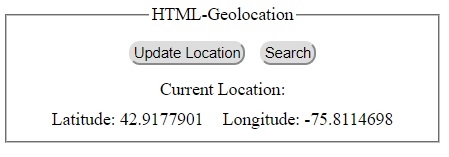
1) 点击任何按钮前 −
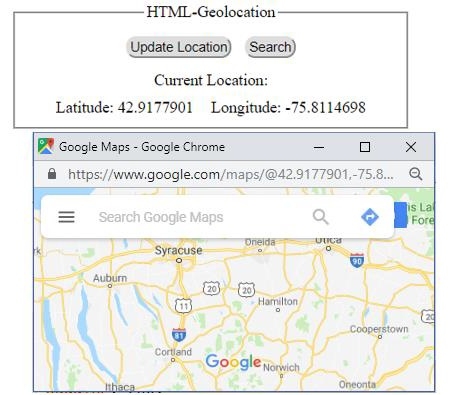
2) 点击‘搜索’按钮后 −
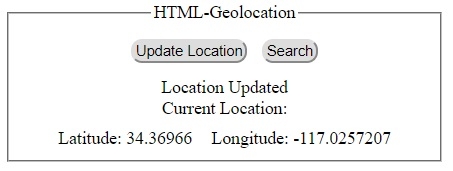
3) 点击‘更新位置’后按钮 −
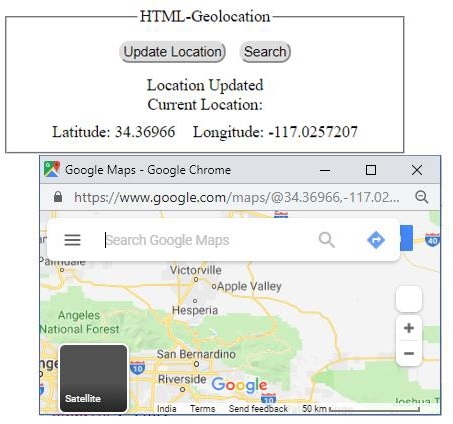
4) 点击"搜索"按钮后 −
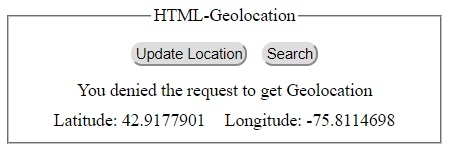
5) 点击"更新位置"按钮后,用户拒绝位置访问权限 −
相关文章
有用资源
html 参考教程 - 该教程包含有关 html 的更多信息:https://www.cainiaomax.com/html/

