
HTML head 标签
htmlweb developmentfront end technology更新于 2025/6/12 16:12:17
HTML 中的 <head> 标签可作为以下元素的容器:<title>、<style>、<base>、<link>、<meta>、<script> 和 <noscript>。
在 HTML5 中,您甚至可以在不包含 <head> 元素的情况下处理 HTML 文档。
<title> 位于 <head> 内
现在让我们看一个实现 <head> 标签并在其中添加 <title> 的示例。 −
示例
<!DOCTYPE html>
<html>
<head>
<title>Document Title</title>
</head>
<body>
   <h2>Demo Heading</h2>
   <p>This is demo text.</p>
   <p>This is demo text.</p>
   <p>This is demo text.</p>
   <p>This is demo text.</p>
</body>
</html>
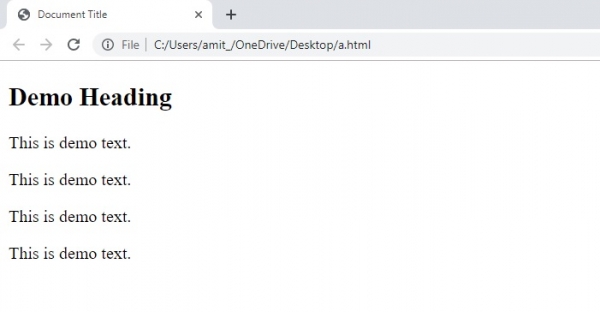
这将产生以下输出,显示我们在 <head> 元素下添加的文档标题 −
<base> 位于 <head> 内
HTML 中的 base 标签用于设置 HTML 文档的基本 URL。<head> 也可用作 <base> 元素的容器。例如,对于所有相对 URL(例如 /html、/java、/jquery 等),基本 URL 应为 https −//example.com/tutorials,这些 URL 最终都是 −。
https −//example.com/tutorials/html
https −//example.com/tutorials/java
https −//example.com/tutorials/jquery
注意 − <base> 标签没有结束标签,即无需以 </base> 结尾。
以下是 − 的属性。
- href −它设置页面中所有相对 URL 的基准 URL。
- target − 所有超链接和表单的默认目标。值可以是 _blank、_parent、_self、_top 和 framename。
现在让我们看一个实现 <base> 元素的示例 −
示例
<!DOCTYPE html>
<html>
<head>
<base href="https −//www.example.com/tutorials/">
</head>
<body>
   <h2>Tutotials List</h2>
   <p><a href="java.html">Java Tutorial</a></p><p>(This will act as https −//www.example.com/tutorials/java.html)</p>
   <p><a href="jquery.html">jQuery Tutorial</a></p><p>(This will act as https −//www.example.com/tutorials/jquery.html)</p>
   <p><a href="blockchain.html">Blockchain Tutorial</a></p><p>(This will act as https −//www.example.com/tutorials/blockchain.html)</p>
   <p><a href="python.html">Python Tutorial</a></p><p>(This will act as https −//www.example.com/tutorials/python.html)</p>
</body>
</html>
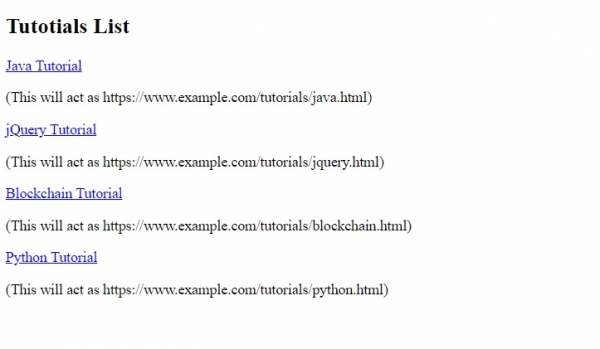
输出
相关文章
有用资源
html 参考教程 - 该教程包含有关 html 的更多信息:https://www.cainiaomax.com/html/

