
HTML input max 属性
htmlweb developmentfront end technology更新于 2025/7/5 10:20:17
<input> 元素的 max 属性用于设置 <input> 的最大值。min 和 max 属性均用于设置输入框元素的值范围,类型包括数字、日期、日期时间、范围等。该属性在 HTML5 中引入。
现在让我们看一个实现 <input> 元素 man 属性的示例。这里,我们将 max 设置为 10,因此用户不能输入大于 1 的 ID。 −
示例
<!DOCTYPE html>
<html>
<body>
<h2>Log in to your account</h2>
<form action="" method="get">
   Id − <input type="number" name="id" min="1" max="10"><br>
   Password − <input type="password" name="pwd"><br>
   DOB − <input type="date" name="dob" autofocus><br>
   <button type="submit" value="Submit">Submit</button>
</form>
</body>
</html>
输出
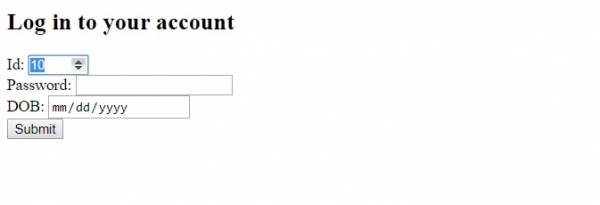
在上面的例子中,我们创建了一个包含一些字段和一个按钮的表单 −
<form action="" method="get">
   Id − <input type="number" name="id" min="1" max="10"><br>
   Password − <input type="password" name="pwd"><br>
   DOB − <input type="date" name="dob" autofocus><br>
   <button type="submit" value="Submit">Submit</button>
</form>
为 id 输入类型数字设置了 max 属性。最大值设置为 10,因此用户无法输入大于 10 的值。 −
Id − <input type="number" name="id" min="1" max="10">
相关文章
有用资源
html 参考教程 - 该教程包含有关 html 的更多信息:https://www.cainiaomax.com/html/

