
HTML onselect 事件属性
htmlweb developmentfront end technology更新于 2025/12/21 0:44:17
当用户在 HTML 文档中选择 HTML 元素的某些文本时,会触发 HTML onselect 事件属性。
语法
以下是语法 −
<tagname onselect=”script”></tagname>
让我们看一个 HTML onselect 事件属性的示例 −
示例
<!DOCTYPE html>
<html>
<head>
<style>
   body {
      color: #000;
      height: 100vh;
      background: linear-gradient(62deg, #FBAB7E 0%, #F7CE68 100%) no-repeat;
      text-align: center;
      padding: 20px;
   }
   textarea {
      border: 2px solid #fff;
      background: transparent;
      padding: 10px;
   }
   ::placeholder {
      color: #000;
   }
</style>
</head>
<body>
<h1>HTML onselect Event Attribute Demo</h1>
<textarea onselect="selectFn()" rows="5" cols="50">Please select me because I'm dummy text.</textarea>
<script>
   function selectFn() {
      document.body.style.background = "linear-gradient(45deg, #8BC6EC 0%, #9599E2 100%) no-repeat";
      document.querySelector("textarea").style.background = "#fff";
   }
</script>
</body>
</html>
输出
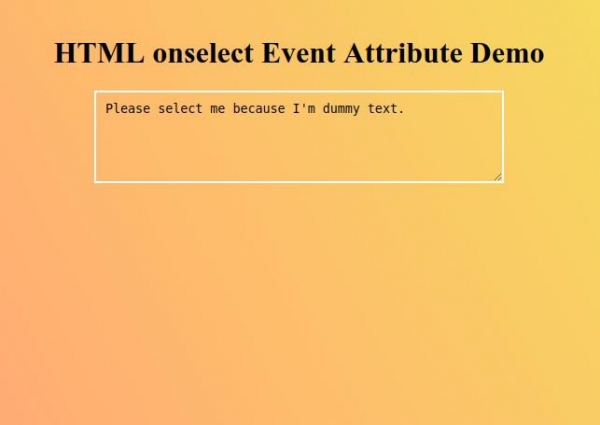
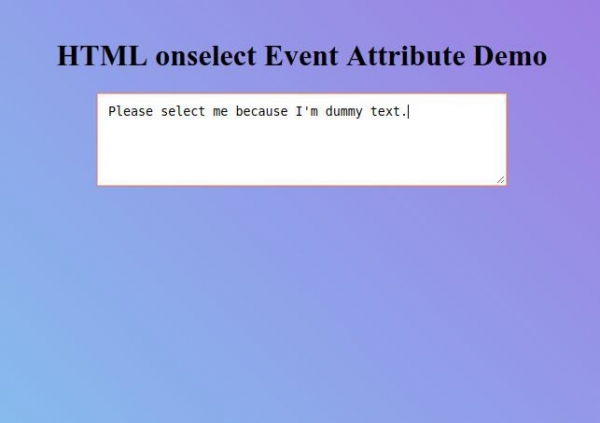
现在选择文本区域元素内的文本来观察 onselect 事件属性如何工作。
相关文章
有用资源
html 参考教程 - 该教程包含有关 html 的更多信息:https://www.cainiaomax.com/html/

