
HTML u 标签
htmlweb developmentfront end technology更新于 2025/8/19 23:08:17
HTML 4 中的 <u> 元素用于在网页上为文本添加下划线,但 HTML5 重新定义了 <u> 元素,使其显示与普通文本不同的文本。
现在让我们看一个实现 <u> 标签的示例。 −
示例
<!DOCTYPE html>
<html>
<body>
<h2>Shortcut Keys</h2>
<p>Use the following <u>shortcut</u> keys:</p>
<p><strong>Cut</strong>: <tt>CTRL</tt>+<tt>X</tt></p>
<p><strong>Copy</strong>: <tt>CTRL</tt>+<tt>C</tt></p>
<p><strong>Paste</strong>: <kbd>CTRL</tt>+<tt>V</tt></p>
<p><strong>Undo</strong>: <tt>CTRL</tt>+<tt>Z</tt></p>
</body>
</html>
输出
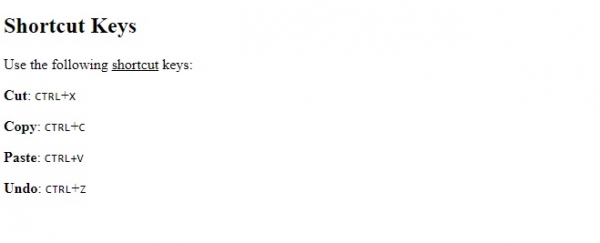
在上面的例子中,我们使用了 <ul> 标签来显示除默认普通文本之外的文本 −
<p>Use the following <u>shortcut</u> keys:</p>
<p><strong>Cut</strong>: <tt>CTRL</tt>+<tt>X</tt></p>
相关文章
有用资源
html 参考教程 - 该教程包含有关 html 的更多信息:https://www.cainiaomax.com/html/

