Aurelia - 自定义元素
Aurelia 提供了一种动态添加组件的方法。您可以在应用程序的不同部分重复使用单个组件,而无需多次包含 HTML。在本章中,您将学习如何实现这一点。
步骤 1 - 创建自定义组件
让我们在 src 文件夹中创建新的 components 目录。
C:\Users\username\Desktop\aureliaApp\src>mkdir components
在此目录中,我们将创建 custom-component.html。此组件稍后将插入 HTML 页面中。
custom-component.html
<template>
   <p>This is some text from dynamic component...</p>
</template>
第 2 步 - 创建主组件
我们将在 app.js 中创建简单组件。它将用于在屏幕上呈现 header 和 footer 文本。
app.js
export class MyComponent {
   header = "This is Header";
   content = "This is content";
}
步骤 3 - 添加自定义组件
在我们的 app.html 文件中,我们需要 require custom-component.html 以便能够动态插入它。完成后,我们可以添加一个新元素 custom-component。
app.html
<template>
   <require from = "./components/custom-component.html"></require>

   <h1>${header}</h1>
   <p>${content}</p>
   <custom-component></custom-component>
</template>
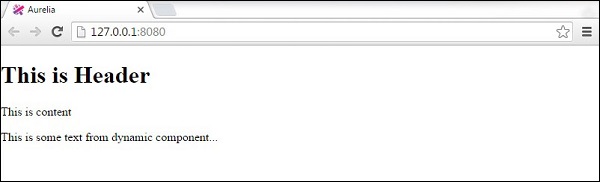
以下是输出。 页眉和页脚文本从app.js内的myComponent呈现。 附加文本是从 custom-component.js 呈现的。