Python Pyramid - 静态资源
经常需要在模板响应中包含一些资源,这些资源即使有一定的动态数据也保持不变。 此类资源称为静态资产。 媒体文件(.png、.jpg 等)、用于执行某些前端代码的 JavaScript 文件或用于格式化 HTML 的样式表(.css 文件)都是静态文件的示例。
Pyramid 将这些静态资产从服务器文件系统中的指定目录提供给客户端的浏览器。 Configurator 对象的 add_static_view() 方法定义了包含静态文件(如图像、JavaScript 和 CSS 文件)的文件夹的路由名称和路径。
作为惯例,'static'目录用于存储静态资源,add_static_view() 的使用如下 −
config.add_static_view(name='static', path='static')
一旦定义了静态路由,就可以通过request.static_url()方法获取静态资源在HTML脚本中使用时的路径。
静态图片
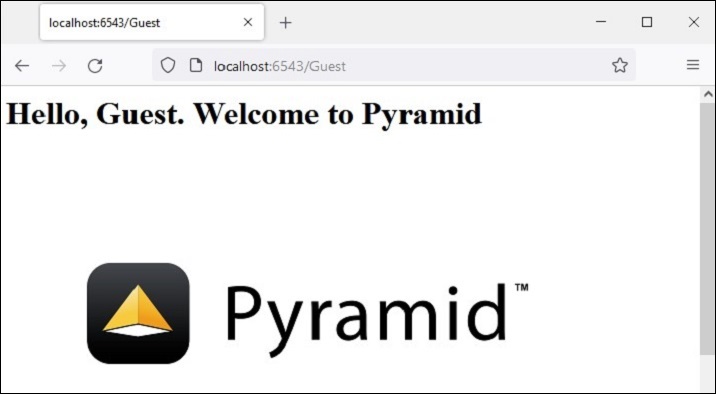
在下面的示例中,Pyramid徽标将在 logo.html 模板中呈现。 因此,"pyramid.png"文件首先放在静态文件夹中。 它现在可用作 HTML 代码中 <img> 标记的 src 属性。
<html>
<body>
   <h1>Hello, {{ name }}. Welcome to Pyramid</h1>
   <img src="{{request.static_url('app:static/pyramid.png')}}">
</body>
</html>
示例
应用程序代码使用add_static_view() 更新配置器,并定义index() 视图呈现上述模板。
from wsgiref.simple_server import make_server
from pyramid.config import Configurator
from pyramid.response import Response
from pyramid.view import view_config

@view_config(route_name='index', renderer='templates/logo.html')

def index(request):
   return {'name':request.matchdict['name']}

if __name__ == '__main__':
   with Configurator() as config:
      config.include('pyramid_jinja2')
      config.add_jinja2_renderer(".html")
      config.add_route('index', '/{name}')
      config.add_static_view(name='static', path='app:static')
      config.scan()
      app = config.make_wsgi_app()
   server = make_server('0.0.0.0', 6543, app)
   server.serve_forever()
输出
运行上面的代码启动服务器。 使用 http://localhost:6543/Guest 作为浏览器中的 URL。 这里的"Guest"是 matchdict 对象中的视图函数获取的路径参数,并作为上下文传递给 logo.html 模板。 浏览器现在显示 Pyramid 徽标。
静态 Javascript
这是静态文件的另一个例子。 JavaScript 代码 hello.js 包含 myfunction() 的定义,将在以下 HTML 脚本 (templates\hello.html) 中的 onload 事件上执行
<html>
<head>
   <script src="{{request.static_url('app:static/hello.js')}}"></script>
</head>
<body onload="myFunction()">
   <div id="time" style="text-align:right; width="100%"></div>
   <h1><div id="ttl">{{ name }}</div></h1>
</body>
</html>
示例
静态文件夹中保存的hello.js代码如下 −
function myFunction() {
   var today = new Date();
   var h = today.getHours();
   var m = today.getMinutes();
   var s = today.getSeconds();
   var msg="";
   if (h<12)
   {
      msg="早上好 ";
   }
   if (h>=12 && h<18)
   {
      msg="下午好";
   }
   if (h>=18)
   {
      msg="晚上好";
   }
   var x=document.getElementById('ttl').innerHTML;
   document.getElementById('ttl').innerHTML = msg+x;
   document.getElementById('time').innerHTML = h + ":" + m + ":" + s;
}
输出
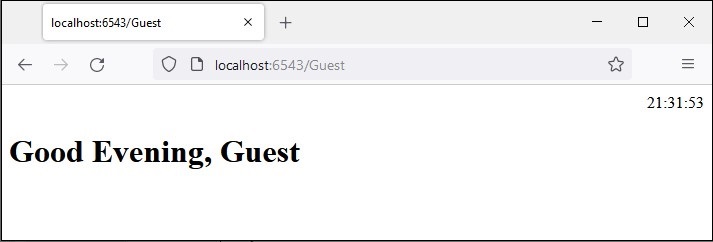
该函数检测当前时间的值,并根据一天中的时间将适当的值分配给 msg 变量(早上好、下午好或晚上好)。
将 hello.js 保存在 static 文件夹中,将 hello.html 保存在 templates 文件夹中,然后重新启动服务器。 浏览器应在其下方显示当前时间和相应的消息。