Watir - 使用 iframe
Watir 提供易于使用的语法来使用 iframe。
语法
browser.iframe(id: 'myiframe')
// 将获取我们想要输入详细信息的 iframe 的引用。
为了了解如何处理 iframe 并定位 iframe 内的元素,在本章中,我们将研究一个示例。
示例
main.html
<html>
   <head>
      <title>Testing using Watir</title>
   </head>
   <body>
      <iframe src = "test1.html" id = "myiframe" width = "500" height = "100"></iframe>
   </body>
</html>
test1.html
<html>
   <head>
      <title>Testing UI using Watir</title>
   </head>

   <body>
      <script type = "text/javascript">
         function wsentered() {
            console.log("inside wsentered");
            var firstname = document.getElementById("firstname");

            if (firstname.value != "") {
               document.getElementById("displayfirstname").innerHTML =
                  "The name entered is : " + firstname.value;

               document.getElementById("displayfirstname").style.display = "";
            }
         }
      </script>

      <div id = "divfirstname">
         Enter First Name :
         <input type = "text" id = "firstname" name = "firstname" onchange = "wsentered()" />
      </div>
      <br/>
      <br/>
         <div style = "display:none;" id = "displayfirstname"></div>
   </body>
</html>
输出
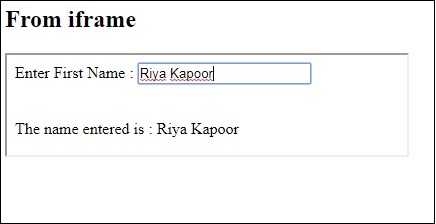
在上面的例子中,输入表单是在 iframe 内定义的。 Watir 代码将帮助我们找到它并测试表单,如下所示 −
Watir 代码
require 'watir'
b = Watir::Browser.new :chrome
b.goto('http://localhost/uitesting/main.html')
t = b.iframe(id: 'myiframe').text_field
t.set 'Riya Kapoor'
b.screenshot.save 'iframetestbefore.png'
t.fire_event('onchange')
b.screenshot.save 'iframetestafter.png'
Watir 代码用于在此处给出的 URL 中定位 iframe −
t = b.iframe(id: 'myiframe').text_field
我们使用了标签名称 iframe 和 iframe 的 id,如上所示。
上述代码的屏幕截图如下所示 −
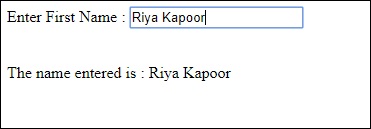
iframetestbefore.png

iframetestafter.png