
XAML - 窗口级别
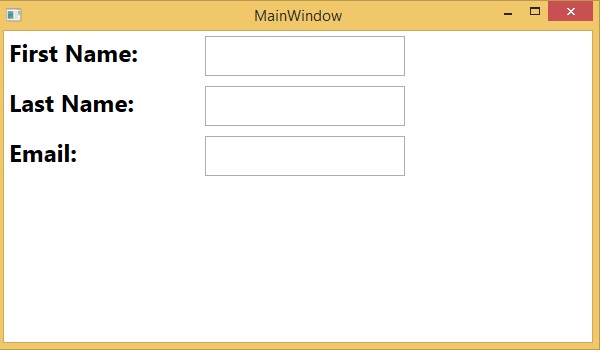
在窗口级别上定义样式可由该窗口上的所有元素访问。下面给出了一个窗口级别的示例,其中所有三个文本块和文本框都具有通用样式。
<Window x:Class = "Styles.MainWindow"
   xmlns = "http://schemas.microsoft.com/winfx/2006/xaml/presentation"
   xmlns:x = "http://schemas.microsoft.com/winfx/2006/xaml"
   Title = "MainWindow" Height = "350" Width = "604">

   <Window.Resources>
      <Style TargetType = "TextBlock">
         <Setter Property = "FontSize" Value = "24" />
         <Setter Property = "Margin" Value = "5" />
         <Setter Property = "FontWeight" Value = "Bold" />
      </Style>

      <Style TargetType = "TextBox">
         <Setter Property = "HorizontalAlignment" Value = "Left" />
         <Setter Property = "FontSize" Value = "24" />
         <Setter Property = "Margin" Value = "5" />
         <Setter Property = "Width" Value = "200" />
         <Setter Property = "Height" Value = "40" />
      </Style>
   </Window.Resources>

   <Grid>
      <Grid.RowDefinitions>
         <RowDefinition Height = "Auto" />
         <RowDefinition Height = "Auto" />
         <RowDefinition Height = "Auto" />
         <RowDefinition Height = "*" />
      </Grid.RowDefinitions>

      <Grid.ColumnDefinitions>
         <ColumnDefinition Width = "*" />
         <ColumnDefinition Width = "2*" />
      </Grid.ColumnDefinitions>

      <TextBlock Text = "First Name: "/>
      <TextBox Name = "FirstName" Grid.Column = "1" />
      <TextBlock Text = "Last Name: " Grid.Row = "1" />
      <TextBox Name = "LastName" Grid.Column = "1" Grid.Row = "1" />
      <TextBlock Text = "Email: " Grid.Row = "2" />
      <TextBox Name = "Email" Grid.Column = "1" Grid.Row = "2"/>
   </Grid>

</Window>
当上述代码被编译并执行时,它将产生以下输出 −
 xaml_styles.html
