
如何使用 reactnative 为您的应用添加样式或 css?
react nativejavascriptmobile development更新于 2025/7/25 15:40:17
可以按如下方式为您的应用设置样式 −
- 使用样式表组件
- 使用内联样式
使用样式表组件
当您想要为您的应用应用样式时,React native 样式表组件非常方便和简洁。要使用样式表组件,首先请按如下所示导入它 −
import { StyleSheet } from 'react-native';
您可以使用样式表组件创建样式,如下所示 −
const styles = StyleSheet.create({
   container: {
      flex: 1,
      marginTop: StatusBar.currentHeight || 0,
   },
   item: {
      margin: 10,
      padding: 20,
      marginVertical: 8,
      marginHorizontal: 16,
   }
});
上述样式可以在您的代码中按如下方式使用 −
<View style={styles.container}></View>
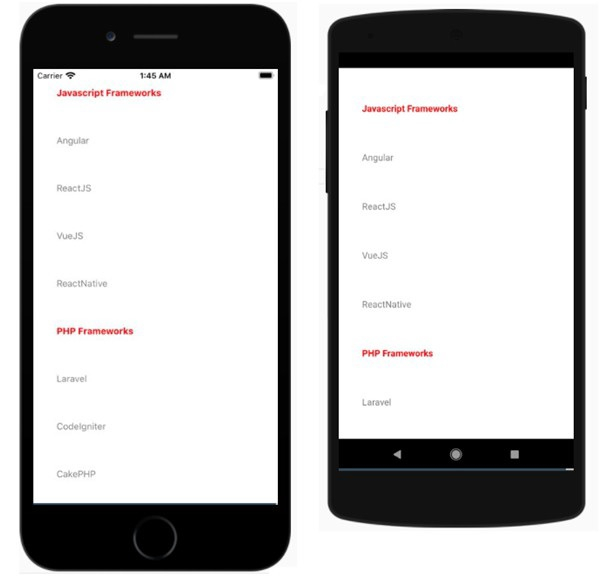
以下是使用样式表显示 FlatList 组件 − 的示例
示例 1
import React from "react";
import { FlatList , Text, View, StyleSheet, StatusBar } from "react-native";
export default class App extends React.Component {
   constructor() {
      super();
      this.state = {
         data: [
            { name: "Javascript Frameworks", isTitle: true },
            { name: "Angular", isTitle: false },
            { name: "ReactJS", isTitle: false },
            { name: "VueJS", isTitle: false },
            { name: "ReactNative", isTitle: false },
            { name: "PHP Frameworks", isTitle: true },
            { name: "Laravel", isTitle: false },
            { name: "CodeIgniter", isTitle: false },
            { name: "CakePHP", isTitle: false },
            { name: "Symfony", isTitle: false }
         ],
         stickyHeaderIndices: []
      };
   }
   renderItem = ({ item }) => {
      return (
         <View style={styles.item}>
            <Text style={{ fontWeight: (item.isTitle) ? "bold" : "", color: (item.isTitle) ? "red" : "gray"}} >
               {item.name}
            </Text>
         </View>
      );
   };
   render() {
      return (
         <View style={styles.container}>
            <FlatList
               data={this.state.data}
               renderItem={this.renderItem}
               keyExtractor={item => item.name}
               stickyHeaderIndices={this.state.stickyHeaderIndices}
            />
         </View>
      );
   }
}
const styles = StyleSheet.create({
   container: {
      flex: 1,
      marginTop: StatusBar.currentHeight || 0,
   },
   item: {
      margin: 10,
      padding: 20,
      marginVertical: 8,
      marginHorizontal: 16,
   }
});
输出
使用内联样式
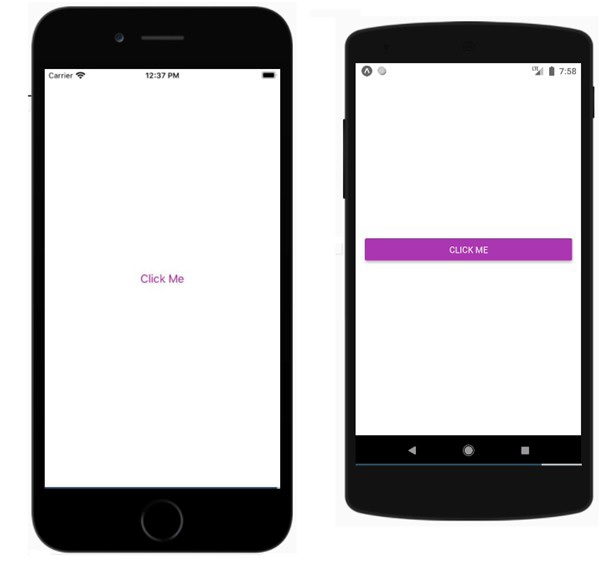
您可以使用 style 属性以内联方式添加样式。但是,这不是最佳实践,因为代码可能难以阅读。以下是有关如何在 reactnative 组件中使用内联样式的有效示例
示例 2
export default App;
import React from 'react';
import { Button, View, Alert } from 'react-native';

const App = () => {
   return (
      <View style={{flex :1, justifyContent: 'center', margin: 15 }}>
         <Button
            title="Click Me"
            color="#9C27B0"
            onPress={() => Alert.alert('Testing Button for React Native ')}
         />
      </View>
   );
}
输出
相关文章
有用资源
javascript 参考教程 - 该教程包含有关 javascript 的更多信息:https://www.cainiaomax.com/javascript/

