如何使用 Selenium WebDriver Java 自动执行拖放功能?
seleniumautomation testingtesting tools更新于 2026/2/12 12:22:17
拖放操作借助鼠标完成。当我们将元素从一个位置拖放到另一个位置时,就会发生这种情况。当我们尝试通过简单的拖放操作将文件从一个文件夹移动到另一个文件夹时,这是一种常见的场景。
Selenium 使用 Actions 类来执行拖放操作。dragAndDrop(source, destination) 是 Actions 类下的一个方法,用于执行拖放操作。该方法首先在元素上单击鼠标左键,然后继续单击以按住源元素。接下来,它将移动到目标位置并释放鼠标。
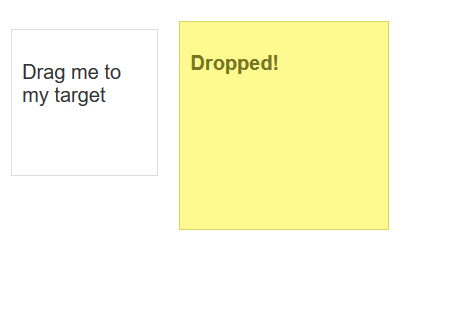
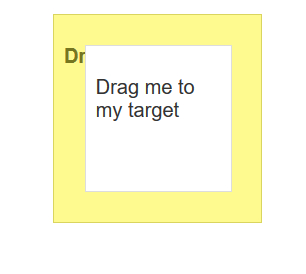
我们的目标是将第一个框拖放到第二个框。
示例
代码实现。
import org.openqa.selenium.By;
import org.openqa.selenium.WebDriver;
import org.openqa.selenium.WebElement;
import org.openqa.selenium.chrome.ChromeDriver;
import java.util.concurrent.TimeUnit;
import org.openqa.selenium.interactions.Actions;
public class DragDrop{
   public static void main(String[] args) {
      System.setProperty("webdriver.chrome.driver", "C:\Users\ghs6kor\Desktop\Java\chromedriver.exe");
      WebDriver driver = new ChromeDriver();
      String url = "https://jqueryui.com/droppable/";
      driver.get(url);
      driver.manage().timeouts().implicitlyWait(5, TimeUnit.SECONDS);
      driver.switchTo().frame(0);
      // 识别源元素和目标元素
      WebElement s=driver.findElement(By.("draggable"));
      WebElement t=driver.findElement(By.("droppable"));
      /Actions 类与 dragAndDrop()
      Actions act = new Actions(driver);
      act.dragAndDrop(s, t).build().perform();
      driver.quit();
   }
}
输出