
如何禁用 HTML 输入字段的自动完成功能?
htmlweb developmentfront end technology更新于 2025/11/26 19:56:17
要禁用输入字段的自动完成功能,代码如下: −
示例
<!DOCTYPE html>
<html>
<head>
<style>
   input{
      font-size: 18px;
      padding: 10px;
      margin: 10px;
      border:1px solid grey;
   }
</style>
</head>
<body>
<h1>Autocomplete on/off Example</h1>
<form>
First name: <input type="text" name="firstName" autocomplete="off"><br>
Last name: <input type="text" name="lastName" autocomplete="on"><br>
<input type="submit">
</form>
<h2>Type in the above fields and refresh page to see autocomplete at work</h2>
</body>
</html>
输出
上述代码将产生以下输出 −
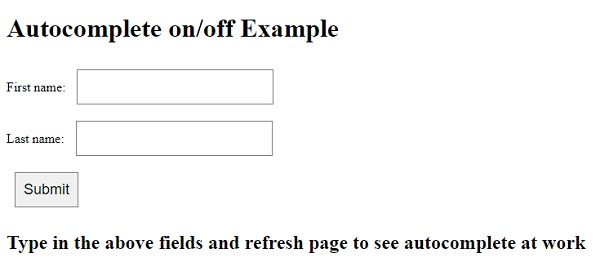
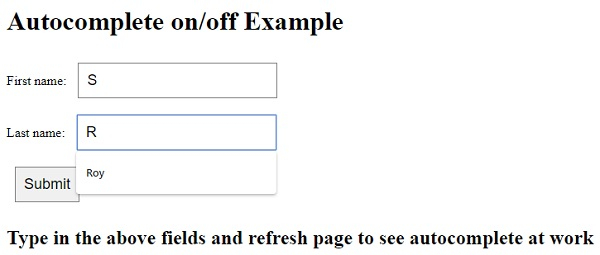
提交表单一次后在上述字段中输入内容 −
相关文章
有用资源
html 参考教程 - 该教程包含有关 html 的更多信息:https://www.cainiaomax.com/html/

