
HTML DOM console.count() 方法
htmlweb developmentfront end technology更新于 2025/9/23 22:36:17
HTML DOM console.count() 方法用于将 console.count() 方法的调用次数写入控制台。您还可以为此方法提供一个可选参数 label。该标签可以帮助我们分别计数 console.count() 方法的调用次数。
语法
以下是 console.count() 方法的语法 −
console.count( [label] );
其中,label 是一个字符串类型的可选参数,用于输出使用该指定标签调用该方法的次数。
示例
让我们看一个 console.count() 方法的示例 −
<!DOCTYPE html>
<html>
<body>
<h1>console.count() method</h1>
<p>Press F12 to view the message in the console view.</p>
<button type="button" onclick="count()">COUNT</button>
<script>
   function count(){
      for(var i=0;i<6;i++){
         if(i>3)
            console.count("Label2");
         else
            console.count("Label1");
      }
   }
</script>
</body>
</html>
输出
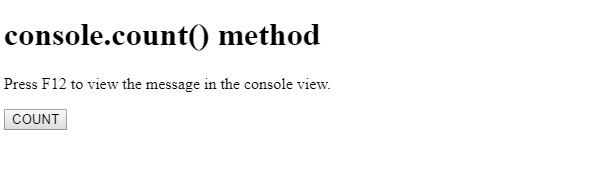
这将产生以下输出 −
点击 COUNT 按钮并查看控制台选项卡 −
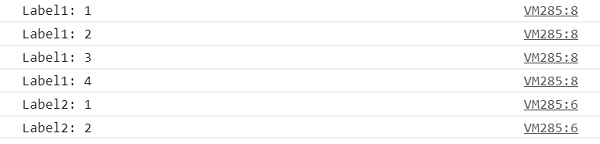
在上面的示例中 −
我们首先创建了一个按钮 COUNT,当用户点击该按钮时,它将执行 count() 方法 −
<button type="button" onclick="count()">COUNT</button>
count() 函数使用标签 1 调用 console.count() 四次,而使用标签 2 仅调用两次,之后 for 循环终止。我们可以在上面的输出中看到,标签 1 的最后一个值为 4,标签 2 的最后一个值为 2 −
function count(){
   for(var i=0;i<6;i++){
      if(i>3)
         console.count("Label2");
      else
         console.count("Label1");
   }
}
相关文章
有用资源
html 参考教程 - 该教程包含有关 html 的更多信息:https://www.cainiaomax.com/html/

