
HTML DOM console.clear() 方法
htmlweb developmentfront end technology更新于 2025/9/23 22:04:17
HTML DOM console.clear() 方法用于清除控制台。console.clear() 方法还会在控制台中写入"控制台已清除"消息,并清除所有之前的控制台内容。所有浏览器都完全支持此方法。
语法
以下是 console.clear() 方法的语法 −
console.clear()
示例
让我们看一个 HTML DOM console.clear() 方法的示例 −
<!DOCTYPE html>
<html>
<body>
<h1>JavaScript console.clear() Method</h1>
<p>Press F12 on the keyboard to see the message on your console</p>
console.log("TEXT has been printed on the console!");
<p>Click the below button to clear the console</p>
<button onclick="clearConsole()">CLEAR</button>
<script>
   function clearConsole() {
      console.clear();
   }
</script>
</body>
</html>
输出
这将产生以下输出 −
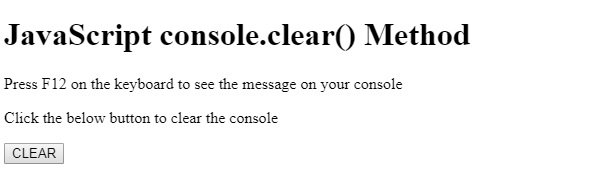
控制台 −

点击清除按钮 −

在上面的例子中 −
我们使用 console.log() 方法向控制台写入了一些消息 −
console.log("TEXT has been print on the console!");
然后我们创建了一个按钮 CLEAR,它将执行 clearConsole() 方法 −
<button onclick="clearConsole()">CLEAR</button>
clearConsole() 方法调用 console 对象上的 clear() 函数。这将清除控制台并在控制台上写入 “Console was cleared”。
function clearConsole() {
   console.clear();
}
相关文章
有用资源
html 参考教程 - 该教程包含有关 html 的更多信息:https://www.cainiaomax.com/html/

