
HTML DOM console.warn() 方法
htmlweb developmentfront end technology更新于 2025/9/24 1:48:17
HTML DOM console.warn() 方法用于在控制台中显示警告消息。在某些浏览器中,控制台日志中会显示一个小感叹号来表示这些警告。console.warn() 方法不会中断代码执行。开发者可以使用 console.warn() 方法向用户发出有关某些用户操作的警告。
语法
以下是 console.warn() 方法的语法 −
console.warn(message)
此处,message 是字符串或对象类型的必需参数。它会在控制台视图中显示为警告。
示例
让我们来看一个 console.warn() 方法的示例 −
<!DOCTYPE html>
<html>
<body>
<h1>console.warn() Method</h1>
<p>Click the below button more than 4 times</p>
<button onclick="warning()" type="button">CLICK</button>
<script>
   var i=0;
   function warning(){
      i++;
      if(i>4)
      console.warn("You have clicked this button too many times");
   }
</script>
<p>Press F12 key to view the warning message in the console.</p>
</body>
</html>
输出
这将产生以下输出 −
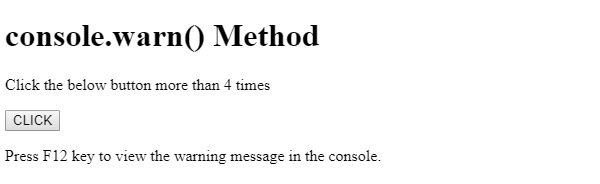
点击 CLICK 按钮超过 4 次,并在控制台选项卡中查看输出。
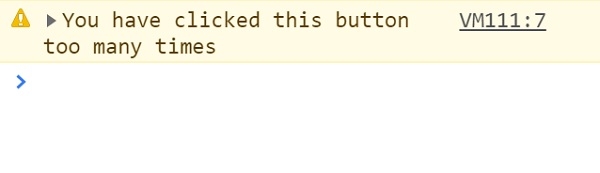
在上面的例子中 −
我们创建了一个 CLICK 按钮,当用户点击该按钮时,它将执行 warning() 方法。
<button onclick="warning()" type="button>CLICK</button>
warning() 方法会使变量 i 递增。如果变量 i 大于 4,则执行 console.warn(msg) 方法,该方法将 msg 参数显示为警告 −
var i=0;
function warning(){
   i++;
   if(i>4)
   console.warn("You have clicked this button too many times");
}
相关文章
有用资源
html 参考教程 - 该教程包含有关 html 的更多信息:https://www.cainiaomax.com/html/

