Java DIP - 增强图像对比度
在本章中学习如何使用直方图均衡化增强图像的对比度。
我们使用 OpenCV 函数 equalizeHist() 方法。它可以在 Imgproc 包下找到。它的语法如下 −
Imgproc.equalizeHist(source, destination);
参数如下所述 −
| Sr.No. | 参数 &描述 |
|---|---|
| 1 |
source 它是 8 位单通道源图像。 |
| 2 |
destination 它是目标图像。 |
除了 equalizeHist() 方法外,Imgproc 类还提供了其他方法。它们简要描述 −
| Sr.No. | 方法 &描述 |
|---|---|
| 1 |
cvtColor(Mat src, Mat dst, int code, int dstCn) 它将图像从一个颜色空间转换为另一个颜色空间。 |
| 2 |
dilate(Mat src, Mat dst, Mat kernel) 它使用特定的结构元素来扩大图像。 |
| 3 |
equalizeHist(Mat src, Mat dst) 它均衡直方图灰度图像。 |
| 4 |
filter2D(Mat src, Mat dst, int ddepth, Mat kernel, Point anchor, double delta) 它将图像与内核进行卷积。 |
| 5 |
GaussianBlur(Mat src, Mat dst, Size ksize, double sigmaX) 它使用高斯滤波器模糊图像。 |
| 6 |
integral(Mat src, Mat sum) 计算图像的积分。 |
示例
以下示例演示了如何使用 Imgproc 类来增强图像的对比度 −
import org.opencv.core.Core;
import org.opencv.core.Mat;
import org.opencv.highgui.Highgui;
import org.opencv.imgproc.Imgproc;

public class Main {

   static int width;
   static int height;
   static double alpha = 2;
   static double beta = 50;

   public static void main( String[] args ) {

      try {
         System.loadLibrary( Core.NATIVE_LIBRARY_NAME );
         Mat source = Highgui.imread("grayscale.jpg",
         Highgui.CV_LOAD_IMAGE_GRAYSCALE);
         Mat destination = new Mat(source.rows(),source.cols(),source.type());

         Imgproc.equalizeHist(source, destination);
         Highgui.imwrite("contrast.jpg", destination);

      } catch (Exception e) {
         System.out.println("error: " + e.getMessage());
      }
   }
}
输出
执行给定的代码时,将看到以下输出 −
原始图像
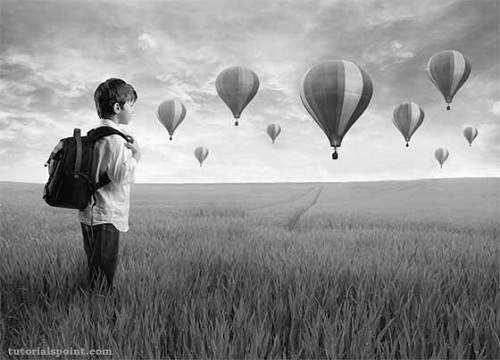
增强对比度图像