
2D 形状(对象)相交操作
此操作以两个或多个形状作为输入,并返回它们之间的相交区域,如下所示。
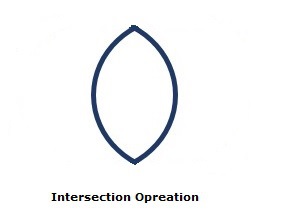
您可以使用名为 intersect() 的方法对形状执行相交操作。由于这是一个静态方法,因此您应该使用类名(Shape 或其子类)来调用它,如下所示。
Shape shape = Shape.intersect(circle1, circle2);
以下是相交操作的示例。在这里,我们绘制两个圆圈并对它们执行相交操作。
将此代码保存在名为 IntersectionExample.java 的文件中
示例
import javafx.application.Application;
import javafx.scene.Group;
import javafx.scene.Scene;
import javafx.scene.paint.Color;
import javafx.stage.Stage;
import javafx.scene.shape.Circle;
import javafx.scene.shape.Shape;

public class IntersectionExample extends Application {
   @Override
   public void start(Stage stage) {
        //绘制圆1
        Circle circle1 = new Circle();

        //设置圆的位置
        circle1.setCenterX(250.0f);
        circle1.setCenterY(135.0f);

        //设置圆的半径
        circle1.setRadius(100.0f);

        //设置圆的颜色
        circle1.setFill(Color.DARKSLATEBLUE);

        //绘制圆2
        Circle circle2 = new Circle();

        //设置圆的位置
        circle2.setCenterX(350.0f);
        circle2.setCenterY(135.0f);

        //设置圆的半径
        circle2.setRadius(100.0f);

        //设置圆的颜色
        circle2.setFill(Color.BLUE);

        //对圆进行相交操作
        Shape shape = Shape.intersect(circle1, circle2);

        //将结果设置为填充颜色
        shape.setFill(Color.DARKSLATEBLUE);

        //创建一个 Group 对象
        Group root = new Group(shape);

        //创建一个 scene 对象
        Scene scene = new Scene(root, 600, 300);

        //将标题设置为 Stage
        stage.setTitle("Intersection Example");

        //将 scene 添加到 stage
        stage.setScene(scene);

        //显示 stage 的内容
        stage.show();
   }
   public static void main(String args[]){
      launch(args);
   }
}
使用以下命令从命令提示符编译并执行保存的 java 文件。
javac IntersectionExample.java
java IntersectionExample
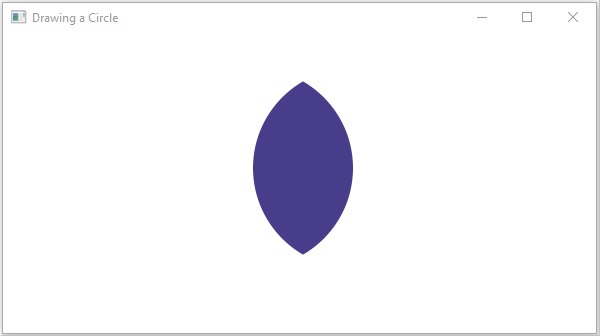
执行时,上述程序会生成一个 JavaFX 窗口,显示以下输出 −
 javafx_2d_shapes.html
