JavaFX - 变换
变换意味着通过应用规则将一些图形变成其他图形。我们可以进行各种类型的变换,例如平移、放大或缩小、旋转、剪切等。
使用 JavaFX,您可以在节点上应用变换,例如旋转、缩放和平移。所有这些变换都由各种类表示,这些类属于包 javafx.scene.transform。
| S.No | 转换 &描述 |
|---|---|
| 1 | Rotation(旋转)
在旋转中,我们将对象从其原点以特定角度θ(theta)旋转。 |
| 2 | Scaling(缩放)
要更改对象的大小,请使用缩放变换。 |
| 3 | Translation(平移)
将对象移动到屏幕上的不同位置屏幕。 |
| 4 | Shearing(剪切)
倾斜对象形状的变换称为剪切变换。 |
多个变换
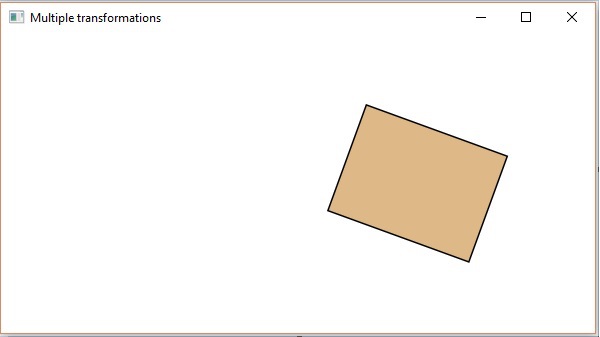
您还可以在 JavaFX 中的节点上应用多个变换。以下程序是一个示例,它同时对矩形执行旋转、缩放和平移变换。
将此代码保存在名为 −
MultipleTransformationsExample.java.
import javafx.application.Application;
import javafx.scene.Group;
import javafx.scene.Scene;
import javafx.scene.paint.Color;
import javafx.scene.shape.Rectangle;
import javafx.scene.transform.Rotate;
import javafx.scene.transform.Scale;
import javafx.scene.transform.Translate;
import javafx.stage.Stage;
public class MultipleTransformationsExample extends Application {
@Override
public void start(Stage stage) {
//绘制矩形
Rectangle rectangle = new Rectangle(50, 50, 100, 75);
//设置矩形的颜色
rectangle.setFill(Color.BURLYWOOD);
//设置矩形的描边颜色
rectangle.setStroke(Color.BLACK);
//创建旋转变换
Rotate rotate = new Rotate();
//设置旋转角度
rotate.setAngle(20);
//设置旋转枢轴点
rotate.setPivotX(150);
rotate.setPivotY(225);
//创建缩放变换
Scale scale = new Scale();
//设置变换的尺寸
scale.setX(1.5);
scale.setY(1.5);
//设置变换的枢轴点
scale.setPivotX(300);
scale.setPivotY(135);
//创建平移变换
Translate Translation = new Translate();
//设置 X、Y、Z 坐标以应用平移
Translation.setX(250);
Translation.setY(0);
Translation.setZ(0);
//将所有变换添加到矩形
rectangle.getTransforms().addAll(rotate, scale, Translation);
//创建 Group 对象
Group root = new Group(rectangle);
//创建 Scene 对象
Scene scene = new Scene(root, 600, 300);
//设置 Stage 标题
stage.setTitle("Multiple transformations");
//将场景添加到舞台(Stage)
stage.setScene(scene);
//显示舞台(Stage)内容
stage.show();
}
public static void main(String args[]){
launch(args);
}
}
使用以下命令从命令提示符编译并执行保存的 java 文件。
javac MultipleTransformationsExample.java
java MultipleTransformationsExample
执行时,上述程序将生成一个 JavaFX 窗口,如下所示。
3D 对象的变换
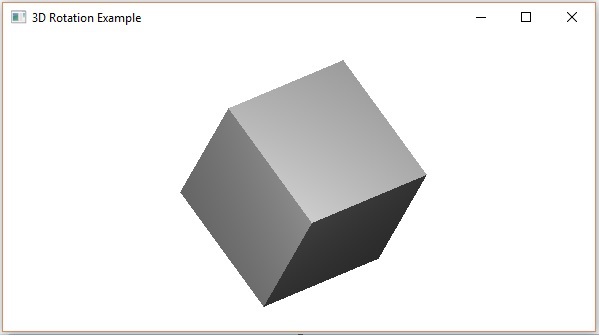
您还可以对 3D 对象应用变换。以下是旋转和平移三维框的示例。
将此代码保存在名为 RotationExample3D.java 的文件中。
import javafx.application.Application;
import javafx.scene.Group;
import javafx.scene.Scene;
import javafx.scene.shape.Box;
import javafx.scene.transform.Rotate;
import javafx.scene.transform.Translate;
import javafx.stage.Stage;
public class RotationExample3D extends Application {
@Override
public void start(Stage stage) {
//绘制一个盒子
Box box = new Box();
//设置盒子的属性
box.setWidth(150.0);
box.setHeight(150.0);
box.setDepth(150.0);
//创建平移变换
Translate Translation = new Translate();
Translation.setX(400);
Translation.setY(150);
Translation.setZ(25);
Rotate rxBox = new Rotate(0, 0, 0, 0, Rotate.X_AXIS);
Rotate ryBox = new Rotate(0, 0, 0, 0, Rotate.Y_AXIS);
Rotate rzBox = new Rotate(0, 0, 0, 0, Rotate.Z_AXIS);
rxBox.setAngle(30);
ryBox.setAngle(50);
rzBox.setAngle(30);
box.getTransforms().addAll(translate,rxBox, ryBox, rzBox);
//创建一个 Group 对象
Group root = new Group(box);
//创建一个 scene 对象
Scene scene = new Scene(root, 600, 300);
//设置 Stage 的标题
stage.setTitle("Drawing a cylinder");
//将场景添加到舞台(Stage)
stage.setScene(scene);
//显示舞台(Stage)的内容
stage.show();
}
public static void main(String args[]){
launch(args);
}
}
使用以下命令从命令提示符编译并执行保存的 java 文件。
javac RotationExample3D.java
java RotationExample3D
执行时,上述程序将生成一个 JavaFX 窗口,如下所示。