
JavaFX 效果 - 颜色调整
您可以通过将颜色调整效果应用于图像来调整图像的颜色。这包括调整每个像素上的色调、饱和度、亮度和对比度。
包 javafx.scene.effect 中名为 ColorAdjust 的类表示颜色调整效果,该类包含五个属性,即 −
input − 此属性属于 Effect 类型,它表示颜色调整效果的输入。
brightness − 此属性属于 Double 类型,它表示此效果的亮度调整值。
contrast −此属性为 Double 类型,表示此效果的对比度调整值。
hue − 此属性为 Double 类型,表示此效果的色调调整值。
saturation − 此属性为 Double 类型,表示此效果的饱和度调整值。
示例
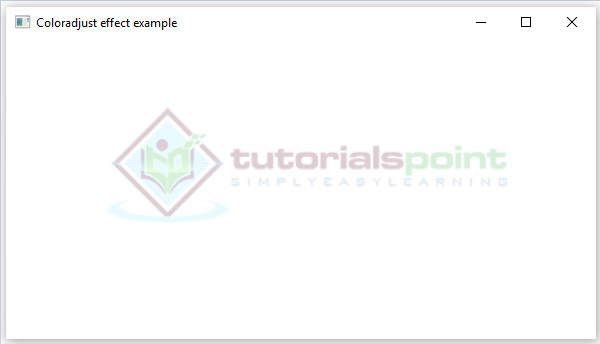
以下程序是演示颜色调整效果的示例。在这里,我们使用 Image 和 ImageView 类在 JavaFX 场景中嵌入图像(Tutorialspoint Logo)。这是在位置 100、70 处完成的,适合高度和适合宽度分别为 200 和 400。

我们正在使用颜色调整效果调整此图像的颜色。对比度、色调、亮度和饱和度值为 0.4。-0.05、0.9、0.8。
将此代码保存在名为 ColorAdjustEffectExample.java 的文件中。
import javafx.application.Application;
import javafx.scene.Group;
import javafx.scene.Scene;
import javafx.scene.effect.ColorAdjust;
import javafx.scene.image.Image;
import javafx.scene.image.ImageView;
import javafx.stage.Stage;

public class ColorAdjustEffectExample extends Application {
   @Override
   public void start(Stage stage) {
        //创建图像
        Image image = new Image("http://www.tutorialspoint.com/green/images/logo.png");

        //设置图像视图
        ImageView imageView = new ImageView(image);

        //设置图像的位置
        imageView.setX(100);
        imageView.setY(70);

        //设置图像视图的适合高度和宽度
        imageView.setFitHeight(200);
        imageView.setFitWidth(400);

        //设置图像视图的保留比例
        imageView.setPreserveRatio(true);

        //实例化 ColorAdjust 类
        ColorAdjust colorAdjust = new ColorAdjust();

        //设置对比度值
        colorAdjust.setContrast(0.4);

        //设置色调值
        colorAdjust.setHue(-0.05);

        //设置亮度值
        colorAdjust.setBrightness(0.9);

        //设置饱和度值
        colorAdjust.setSaturation(0.8);

        //将 coloradjust 效果应用于 ImageView 节点
        imageView.setEffect(colorAdjust);

        //创建 Group 对象
        Group root = new Group(imageView);

        //创建 scene 对象
        Scene scene = new Scene(root, 600, 300);

        //设置 Stage 标题
        stage.setTitle("Coloradjust 效果示例");

        //将 scene 添加到舞台(Stage)
        stage.setScene(scene);

        //显示舞台(Stage)内容
        stage.show();
   }
   public static void main(String args[]){
      launch(args);
   }
}
使用以下命令从命令提示符编译并执行保存的 java 文件。
javac ColorAdjustEffectExample.java
java ColorAdjustEffectExample
执行时,上述程序将生成一个 JavaFX 窗口,如下所示。
 javafx_effects.html
