
JavaFX - 布局 AnchorPane
AnchorPane(锚窗格)允许将子节点的边缘锚定到与锚窗格边缘的偏移量。如果锚窗格设置了边框和/或填充,则偏移量将从这些插入的内边缘测量。
如果我们在应用程序中使用锚窗格,则其中的节点将锚定在与窗格的特定距离处。
包 javafx.scene.layout 中名为 AnchorPane 的类表示锚窗格。添加节点后,您需要从窗格的边界在所有方向(顶部、底部、右侧和左侧)设置锚点。要设置锚点,此类提供了四种方法,即 - setBottomAnchor()、setTopAnchor()、setLeftAnchor()、setRightAnchor()。对于这些方法,您需要传递一个表示锚点的双精度值。
示例
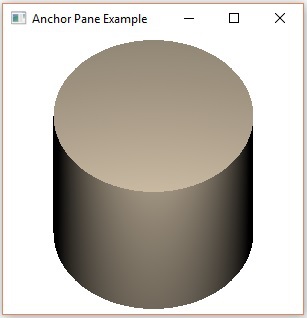
以下程序是锚点窗格布局的示例。在此,我们在锚点窗格中插入一个旋转圆柱体。同时,我们将其设置为从各个方向(顶部、左侧、右侧、底部)距离窗格 50 个单位。
将此代码保存在名为 AnchorPaneExample.java 的文件中。
import javafx.animation.RotateTransition;
import javafx.collections.ObservableList;
import javafx.scene.Scene;
import javafx.scene.layout.AnchorPane;
import javafx.scene.paint.Color;
import javafx.scene.paint.PhongMaterial;
import javafx.scene.shape.Cylinder;
import javafx.scene.transform.Rotate;
import javafx.stage.Stage;
import javafx.util.Duration;

public class AnchorPaneExample extends Application {
   @Override
   public void start(Stage stage) {
        //绘制圆柱体
        Cylinder cylinder = new Cylinder();

        //设置圆柱体的属性
        cylinder.setHeight(180.0f);
        cylinder.setRadius(100.0f);

        //准备漫反射颜色类型的 phong 材质
        PhongMaterialmaterial = new PhongMaterial();
        material.setDiffuseColor(Color.BLANCHEDALMOND);

        //将漫反射颜色材质设置为 Cylinder5
        cylinder.setMaterial(material);

        //设置圆柱体的旋转过渡
        RotateTransition rotateTransition = new RotateTransition();

        //设置过渡的持续时间
        rotateTransition.setDuration(Duration.millis(1000));

        //设置过渡的节点
        rotateTransition.setNode(cylinder);

        //设置旋转轴
        rotateTransition.setAxis(Rotate.X_AXIS);

        //设置旋转角度
        rotateTransition.setByAngle(360);

        //设置过渡的循环次数
        rotateTransition.setCycleCount(RotateTransition.INDEFINITE);

        //将自动反转值设置为 false
        rotateTransition.setAutoReverse(false);

        //播放动画
        rotateTransition.play();

        //创建锚点窗格
        AnchorPane anchorPane = new AnchorPane();

        //将锚点设置为圆柱体
        AnchorPane.setTopAnchor(cylinder, 50.0);
        AnchorPane.setLeftAnchor(cylinder, 50.0);
        AnchorPane.setRightAnchor(cylinder, 50.0);
        AnchorPane.setBottomAnchor(cylinder, 50.0);

        //检索 Anchor Pane 的可观察列表
        ObservableList list = anchorPane.getChildren();

        //将圆柱体添加到窗格
        list.addAll(cylinder);

        //创建场景对象
        Scene scene = new Scene(anchorPane);

        //将标题设置为舞台(Stage)
        stage.setTitle("Anchor Pane 示例");

        //将场景添加到舞台(Stage)
        stage.setScene(scene);

        //显示舞台(Stage)的内容
        stage.show();
   }
   public static void main(String args[]){
      launch(args);
   }
}
使用以下命令从命令提示符编译并执行保存的 java 文件。
javac AnchorPaneExample.java
java AnchorPaneExample
执行时,上述程序将生成一个 JavaFX 窗口,如下所示。
 javafx_layout_panes.html
