
Python MySQL - 数据库连接
要连接 MySQL,(一种方法是)在系统中打开 MySQL 命令提示符,如下所示 −
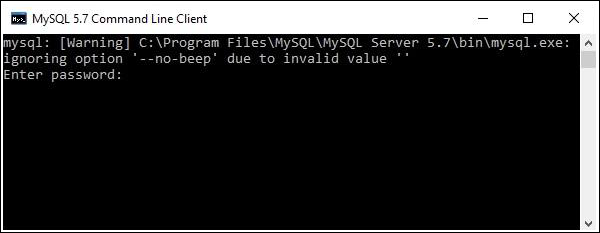
这里要求输入密码;您需要输入安装时为默认用户(root)设置的密码。
然后建立与 MySQL 的连接,并显示以下消息−
Welcome to the MySQL monitor. Commands end with ; or \g.
Your MySQL connection id is 4
Server version: 5.7.12-log MySQL Community Server (GPL)

Copyright (c) 2000, 2016, Oracle and/or its affiliates. All rights reserved.

Oracle is a registered trademark of Oracle Corporation and/or its
affiliates. Other names may be trademarks of their respective
owners.

Type 'help;' or '\h' for help. Type '\c' to clear the current input statement.
您可以随时在 mysql> 提示符下使用 exit 命令断开与 MySQL 数据库的连接。
mysql> exit
Bye
使用 python 与 MySQL 建立连接
在使用 python 与 MySQL 数据库建立连接之前,假设 −
我们已经创建了一个名为 mydb 的数据库。
我们已经创建了一个表 EMPLOYEE,其中包含列 FIRST_NAME、LAST_NAME、AGE、SEX 和 INCOME。
我们用于连接 MySQL 的凭据是用户名:root,密码:password。
您可以使用 connect() 构造函数建立连接。它接受用户名、密码、主机和需要连接的数据库的名称(可选),并返回 MySQLConnection 类的对象。
示例
以下是连接 MySQL 数据库"mydb"的示例。
import mysql.connector

#建立连接
conn = mysql.connector.connect(user='root', password='password', host='127.0.0.1', database='mydb')

#使用 cursor() 方法创建游标对象
cursor = conn.cursor()

#使用 execute() 方法执行 MYSQL 函数
cursor.execute("SELECT DATABASE()")

# 使用 fetchone() 方法获取单行。
data = cursor.fetchone()
print("Connection established to: ",data)

#关闭连接
conn.close()
输出
执行时,此脚本产生以下输出 −
D:\Python_MySQL>python EstablishCon.py
Connection established to: ('mydb',)
您还可以通过将凭据(用户名、密码、主机名和数据库名称)传递给 connection.MySQLConnection() 来建立与 MySQL 的连接,如下所示−
from mysql.connector import (connection)

#建立连接
conn = connection.MySQLConnection(user='root', password='password', host='127.0.0.1', database='mydb')

#关闭连接
conn.close()

