TurboGears - HTTP 方法
Http 协议是万维网上数据通信的基础。此协议定义了从指定 URL 检索数据的不同方法。下表总结了不同的 http 方法 −
| Sr.No. | HTTP 方法和说明 |
|---|---|
| 1 | GET 以未加密形式将数据发送到服务器。最常用的方法。 |
| 2 | HEAD 与 GET 相同,但没有响应主体 |
| 3 | POST 用于将 HTML 表单数据发送到服务器。 POST 方法接收的数据不会被服务器缓存。 |
| 4 | PUT 用上传的内容替换目标资源的所有当前表示。 |
| 5 | DELETE 删除 URL 给出的目标资源的所有当前表示 |
创建 HTML 表单
让我们创建一个 HTML 表单并将表单数据发送到 URL。将以下脚本保存为 login.html
<html>
   <body>
      <form action = "http://localhost:8080/login" method = "get">
         <p>Enter Name:</p>
         <p><input type = "text" name = "nm" /></p>
         <p><input type = "submit" value = "submit" /></p>
      </form>
   </body>
</html>
此表单中输入的数据将提交至 '/login' URL。现在创建一个控制器函数 loginpage() 并向其公开上述 html 页面。
@expose("hello.templates.login")
   def loginpage(self):
      return {}
为了接收表单数据,提供一个 login() 控制器,该控制器具有表单属性作为其参数。此处 'nm' 是登录表单中文本输入字段的名称,它用作 login() 函数的参数。
@expose("hello.templates.sample")
   def login(self, nm):
      name = nm
      return {'person':name}
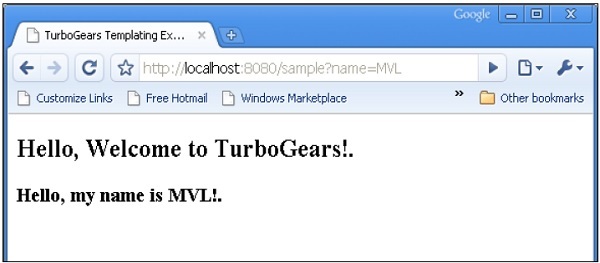
如您所见,从登录表单收到的数据被发送到 sample.html 模板(之前使用过)。它由 Genshi 模板引擎 解析以生成以下输出 −
POST 方法
当 HTML 表单使用 POST 方法将数据发送到 action 属性中的 URL 时,表单数据不会在 URL 中公开。控制器函数在 dict 参数中接收编码数据。下面的 **kw 参数是保存数据的字典对象。
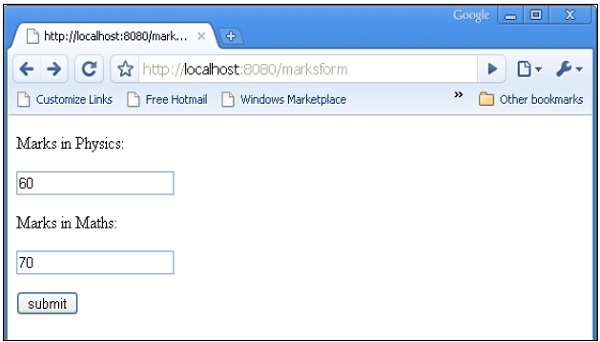
HTML 表单包含两个输入文本字段。
<html>
   <body>

      <form action = "http://localhost:8080/marks" method = "post">
         <p>Marks in Physics:</p>
         <p><input type = "text" name = "phy" /></p>
         <p>Marks in Maths:</p>
         <p><input type = "text" name = "maths" /></p>
         <p><input type = "submit" value = "submit" /></p>
      </form>

   </body>
</html>
marks() 控制器接收表单数据并将其发送到 sample.html 模板。root.py 的代码如下 −
from hello.lib.base import BaseController
from tg import expose, request

class RootController(BaseController):
   @expose("hello.templates.marks")
   def marksform(self):
      return {}

   @expose("hello.templates.sample")
   def marks(self, **kw):
      phy = kw['phy']
      maths = kw['maths']
      ttl = int(phy)+int(maths)
      mydata = {'phy':phy, 'maths':maths, 'total':ttl}
      return mydata
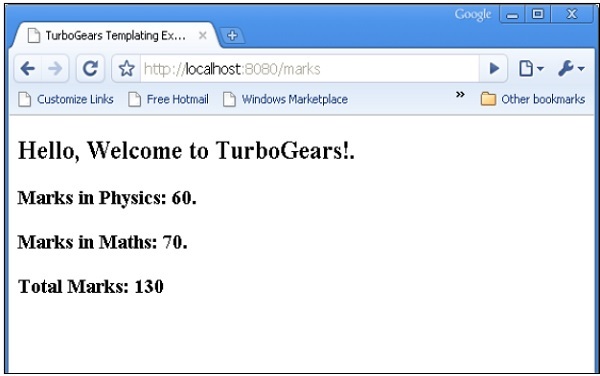
最后sample.html模板如下 −
<html>
   <head>
      <title>TurboGears Templating Example</title>
   </head>

   <body>
      <h2>Hello, Welcome to TurboGears!.</h2>
      <h3>Marks in Physics: ${phy}.</h3>
      <h3>Marks in Maths: ${maths}.</h3>
      <h3>Total Marks: ${total}</h3>
   </body>

</html>
启动服务器(如果尚未运行)
Gearbox 服务器 –reload –debug
在浏览器中输入 http://localhost::8080/marksform
sample.html 将呈现以下输出 −