Angular 2 - 转换数据
Angular 2 有很多可用于转换数据的过滤器和管道。
lowercase
这用于将输入转换为全部小写。
语法
Propertyvalue | lowercase
参数
None
结果
属性值将转换为小写。
示例
首先确保 app.component.ts 文件中存在以下代码。
import {
   Component
} from '@angular/core';

@Component ({
   selector: 'my-app',
   templateUrl: 'app/app.component.html'
})

export class AppComponent {
   TutorialName: string = 'Angular JS2';
   appList: string[] = ["Binding", "Display", "Services"];
}
接下来,确保 app/app.component.html 文件中存在以下代码。
<div>
   The name of this Tutorial is {{TutorialName}}<br>
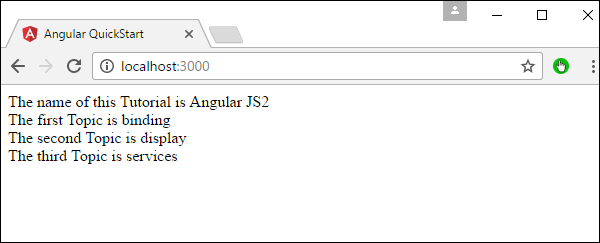
   The first Topic is {{appList[0] | lowercase}}<br>
   The second Topic is {{appList[1] | lowercase}}<br>
   The third Topic is {{appList[2]| lowercase}}<br>
</div>
输出
保存所有代码更改并刷新浏览器后,您将获得以下输出。
uppercase
这用于将输入转换为全部大写。
语法
Propertyvalue | uppercase
参数
None.
结果
属性值将转换为大写。
示例
首先确保 app.component.ts 文件中存在以下代码。
import {
   Component
} from '@angular/core';

@Component ({
   selector: 'my-app',
   templateUrl: 'app/app.component.html'
})

export class AppComponent {
   TutorialName: string = 'Angular JS2';
   appList: string[] = ["Binding", "Display", "Services"];
}
接下来,确保 app/app.component.html 文件中存在以下代码。
<div>
   The name of this Tutorial is {{TutorialName}}<br>
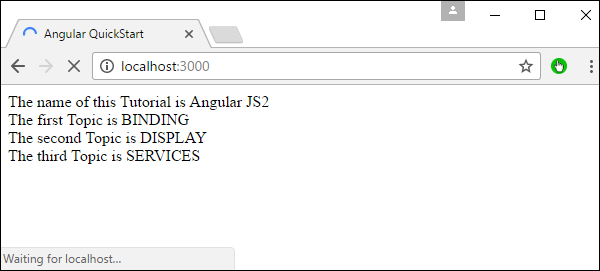
   The first Topic is {{appList[0] | uppercase }}<br>
   The second Topic is {{appList[1] | uppercase }}<br>
   The third Topic is {{appList[2]| uppercase }}<br>
</div>
输出
保存所有代码更改并刷新浏览器后,您将获得以下输出。
slice
这用于从输入字符串中分割一段数据。
语法
Propertyvalue | slice:start:end
参数
start − 这是切片应开始的起始位置。
end − 这是切片应结束的起始位置。
结果
属性值将根据开始和结束位置进行切片。
示例
首先确保 app.component.ts 文件中存在以下代码
import {
   Component
} from '@angular/core';

@Component ({
   selector: 'my-app',
   templateUrl: 'app/app.component.html'
})

export class AppComponent {
   TutorialName: string = 'Angular JS2';
   appList: string[] = ["Binding", "Display", "Services"];
}
接下来,确保 app/app.component.html 文件中存在以下代码。
<div>
   The name of this Tutorial is {{TutorialName}}<br>
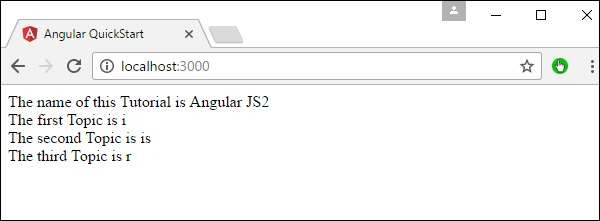
   The first Topic is {{appList[0] | slice:1:2}}<br>
   The second Topic is {{appList[1] | slice:1:3}}<br>
   The third Topic is {{appList[2]| slice:2:3}}<br>
</div>
输出
保存所有代码更改并刷新浏览器后,您将获得以下输出。
date
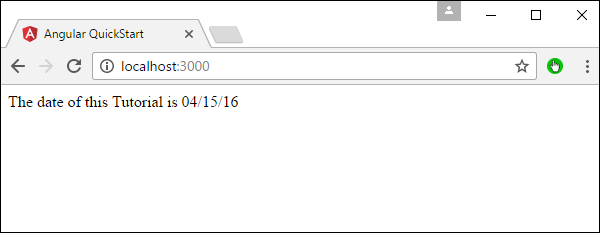
这用于将输入字符串转换为日期格式。
语法
Propertyvalue | date:”dateformat”
参数
dateformat − 这是输入字符串应转换为的日期格式。
结果
属性值将转换为日期格式。
示例
首先确保 app.component.ts 文件中存在以下代码。
import {
   Component
} from '@angular/core';

@Component ({
   selector: 'my-app',
   templateUrl: 'app/app.component.html'
})

export class AppComponent {
   newdate = new Date(2016, 3, 15);
}
接下来,确保 app/app.component.html 文件中存在以下代码。
<div>
   The date of this Tutorial is {{newdate | date:"MM/dd/yy"}}<br>
</div>
输出
保存所有代码更改并刷新浏览器后,您将获得以下输出。
currency
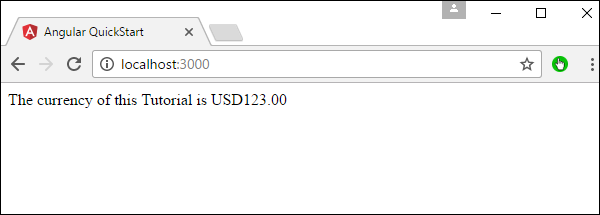
这用于将输入字符串转换为货币格式。
语法
Propertyvalue | currency
参数
None.
结果
属性值将转换为货币格式。
示例
首先确保 app.component.ts 文件中存在以下代码。
import {
   Component
} from '@angular/core';

@Component ({
   selector: 'my-app',
   templateUrl: 'app/app.component.html'
})

export class AppComponent {
   newValue: number = 123;
}
接下来,确保 app/app.component.html 文件中存在以下代码。
<div>
   The currency of this Tutorial is {{newValue | currency}}<br>
</div>
输出
保存所有代码更改并刷新浏览器后,您将获得以下输出。
percentage
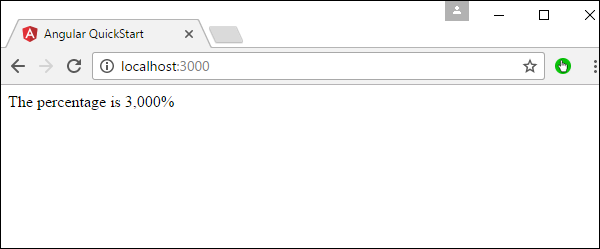
这用于将输入字符串转换为百分比格式。
语法
Propertyvalue | percent
参数
None
结果
属性值将转换为百分比格式。
示例
首先确保 app.component.ts 文件中存在以下代码。
import {
   Component
} from '@angular/core';

@Component ({
   selector: 'my-app',
   templateUrl: 'app/app.component.html'
})

export class AppComponent {
   newValue: number = 30;
}
接下来,确保 app/app.component.html 文件中存在以下代码。
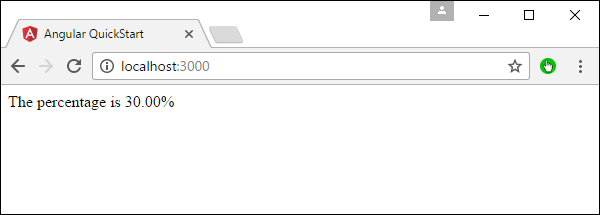
<div>
   The percentage is {{newValue | percent}}<br>
</div>
输出
保存所有代码更改并刷新浏览器后,您将获得以下输出。
百分比管道还有另一种变体,如下所示。
语法
Propertyvalue | percent: ‘{minIntegerDigits}.{minFractionDigits}{maxFractionDigits}’
参数
minIntegerDigits − 这是整数位数的最小数量。
minFractionDigits − 这是最小的小数位数。
maxFractionDigits − 这是小数位数的最大数量。
结果
属性值将转换为百分比格式
示例
首先确保 app.component.ts 文件中存在以下代码。
import {
   Component
} from '@angular/core';

@Component ({
   selector: 'my-app',
   templateUrl: 'app/app.component.html'
})

export class AppComponent {
   newValue: number = 0.3;
}
接下来,确保 app/app.component.html 文件中存在以下代码。
<div>
   The percentage is {{newValue | percent:'2.2-5'}}<br>
</div>
输出
保存所有代码更改并刷新浏览器后,您将获得以下输出。