如何在 Selenium 中通过多个类名查找 div 元素?
seleniumautomation testingtesting tools更新于 2026/1/23 19:52:17
我们可以通过多个类名查找元素。如果一个元素的类属性值有多个,且每个值之间用空格分隔,则称为复合类名。
让我们看看这种具有复合类名 − 的 Web 元素的 HTML 代码。

如果在上述场景中,我们将 toc 和 chapters 这两个值与类名定位器一起使用,则会引发异常。相反,规则是只有一个带有类名定位器的类属性值。
语法
WebElement l = driver.findElement(By.className("toc"));
//className 定位器的定位器值无效
WebElement l = driver.findElement(By.className("toc chapters"));
示例
import org.openqa.selenium.By;
import org.openqa.selenium.WebDriver;
import org.openqa.selenium.WebElement;
import org.openqa.selenium.chrome.ChromeDriver;
public class ClssLocator{
   public static void main(String[] args) {
      System.setProperty("webdriver.chrome.driver",
         "C:\Users\ghs6kor\Desktop\Java\chromedriver.exe");
      WebDriver driver = new ChromeDriver();
      //启动 URL
      driver.get("https://www.tutorialspoint.com/about/about_careers.htm/");
      //通过 className 识别具有复合类的元素
      WebElement l = driver.findElement(By.className("toc"));
      //验证元素是否显示
      boolean b = l.isDisplayed();
      System.out.println(b);
      driver.quit();
   }
}
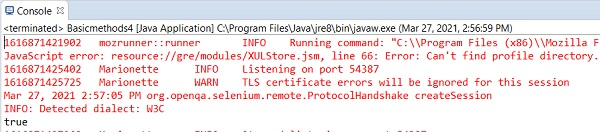
输出
使用 css 定位器,我们可以在一个复合类中使用所有类属性的值。具体方法是:将所有属性值组合起来,并用点 (.) 分隔,并在 css 表达式的开头添加一个点 (.)。
语法
WebElement l = driver.findElement(By.cssSelector(".toc.chapters"));
示例
import org.openqa.selenium.By;
import org.openqa.selenium.WebDriver;
import org.openqa.selenium.WebElement;
import org.openqa.selenium.chrome.ChromeDriver;
public class CssSelectorLocator{
   public static void main(String[] args) {
   System.setProperty("webdriver.chrome.driver",
         "C:\Users\ghs6kor\Desktop\Java\chromedriver.exe");
      WebDriver driver = new ChromeDriver();
      //启动 URL
      driver.get("https://www.tutorialspoint.com/about/about_careers.htm/");
      //识别包含复合类的 CSS 元素
      WebElement l = driver.findElement(By.cssSelector(".toc.chapters"));
      //验证元素是否显示
      boolean b = l.isDisplayed();
      System.out.println(b);
      driver.quit();
   }
}
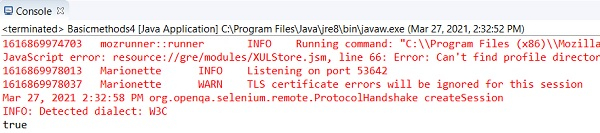
输出
使用 css 和 xpath 定位器,我们可以包含类属性的所有值,方法是使用类作为属性,然后将整个类值放在引号中。
语法
WebElement l = driver.findElement(By.xpath("//ul[@class='toc chapters']"));
WebElement m = driver
.findElement(By.cssSelector("ul[class='toc chapters']"));
示例
import org.openqa.selenium.By;
import org.openqa.selenium.WebDriver;
import org.openqa.selenium.WebElement;
import org.openqa.selenium.chrome.ChromeDriver;
public class XpathLocator{
   public static void main(String[] args) {
      System.setProperty("webdriver.chrome.driver",
         "C:\Users\ghs6kor\Desktop\Java\chromedriver.exe");
      WebDriver driver = new ChromeDriver();
      //启动 URL
      driver.get
      ("https://www.tutorialspoint.com/about/about_careers.htm/");
      //使用 xpath 识别具有复合类的元素
      WebElement l = driver.findElement(By.cssSelector("ul[class='toc chapters']"));
      //验证元素是否显示
      boolean b = l.isDisplayed();
      System.out.println(b);
      driver.quit();
   }
}
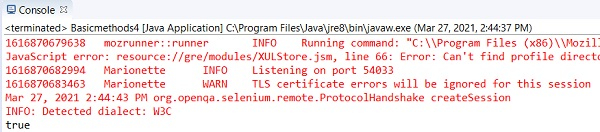
输出